Sidechain + modulation · macOS
ShadowCast.
Make one sound move another.
Let your kick, a vocal or any signal shape the rest of your mix. Clean ducking, reverbs and delays that move, and frequency-by-frequency precision when you need it, from 2,000+ presets in one plug-in.
Launch price A$119 incl. GST (US$79). Regular A$199 (US$129).
A free MIDI pack now, then one email at launch with the 14-day free trial.
- 14-day free trial at launch
- 14-day refund window
- Free updates for life
- Secure checkout by Lemon Squeezy
macOS 11+ (Apple Silicon) · AU · VST3 · Standalone
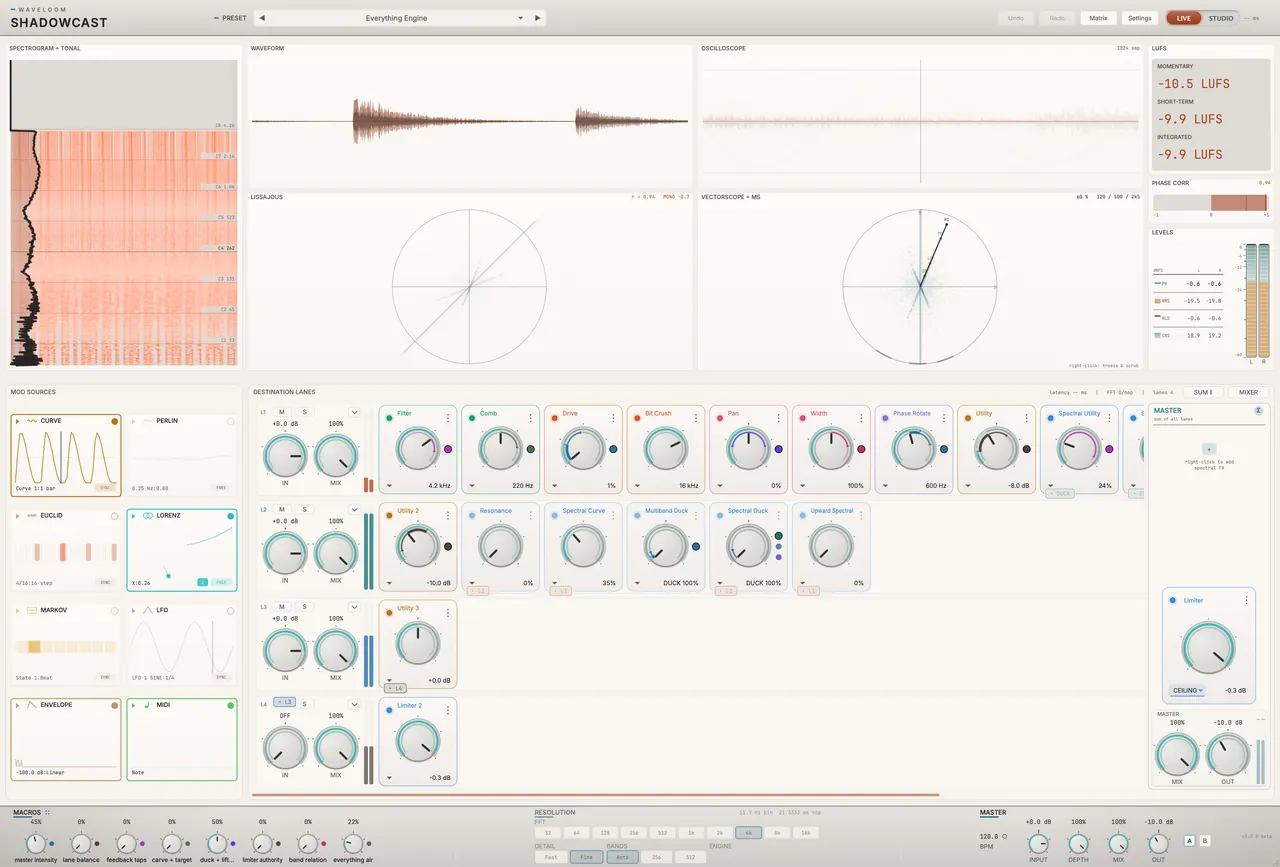
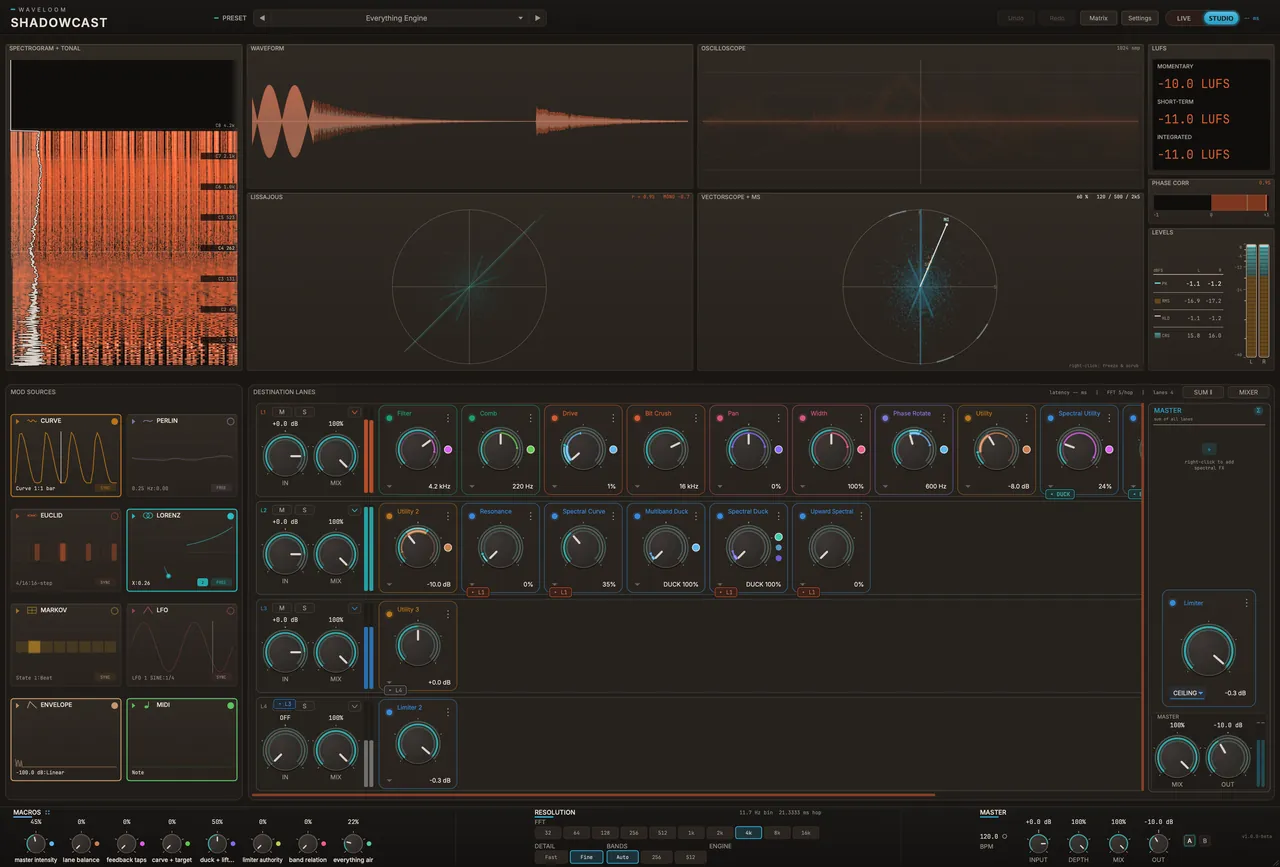
MODES · LIVE / STUDIO
Zero latency when you play. Full precision when you mix.
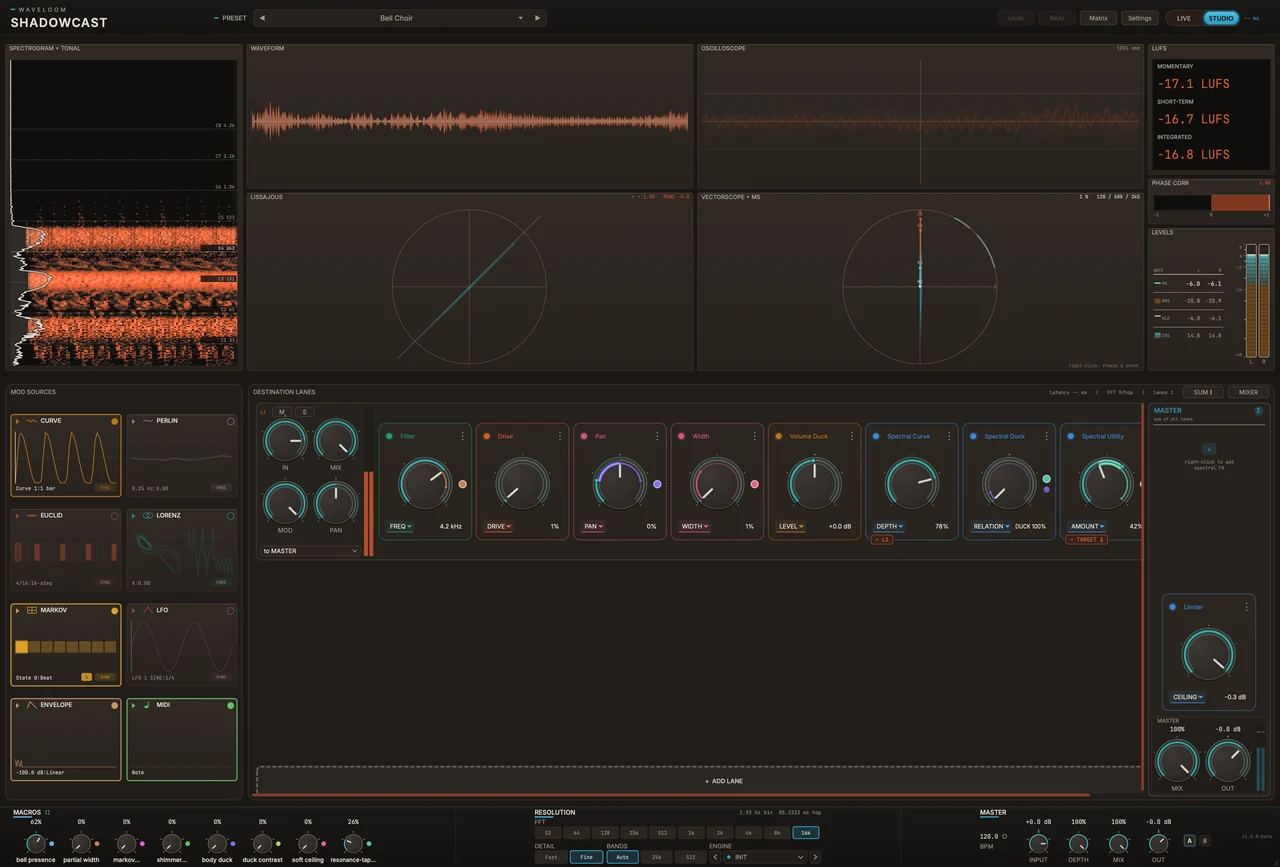
One switch changes how ShadowCast works. Try it: flip between LIVE and STUDIO and the plug-in below changes with it (so does this page).
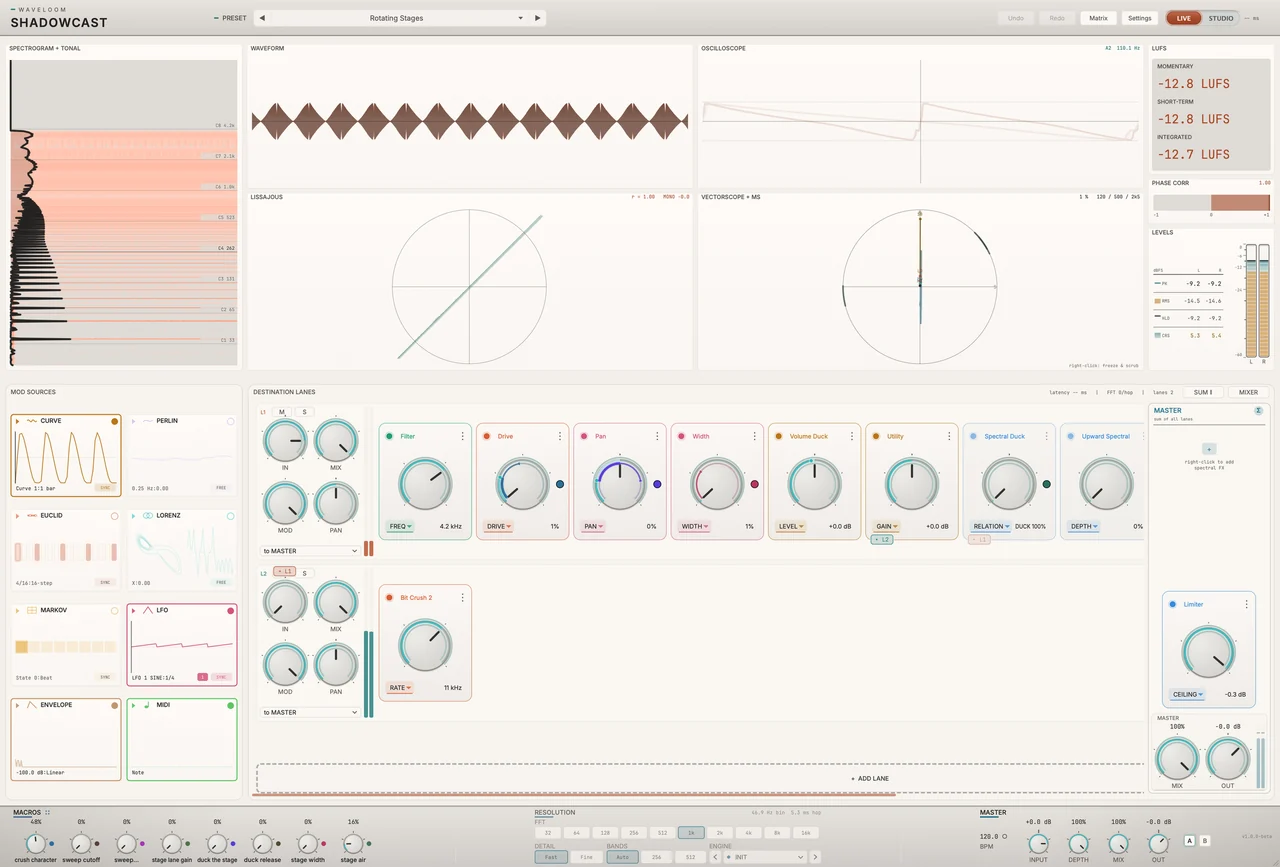
LIVEFor playing, tracking and performing
Always zero latency, so what you play is what you hear. Safe to record and perform through.
- 28 of the 34 effects
- A zero-latency limiter
- Waveloom Live, the light theme
STUDIOFor mixing and sound design
Adds the spectral engine for frequency-by-frequency control. Its latency is reported to your DAW, so everything stays in time.
- The 6 STUDIO-only effects, at the resolution you choose
- A limiter that looks 6 ms ahead and catches the peaks between samples
- Waveloom Studio, the dark theme (the default)
Make space in your mix.
Let the kick or vocal push other sounds out of the way: from a classic pump to ducking that only touches the frequencies that clash.
Add movement that feels played.
Eight modulators, from hand-drawn curves and rhythms to chaos and your own MIDI, can move the controls of any effect.
Sound finished, fast.
Start from 2,000+ presets and shape them with eight macros. Every display is fed by the audio, so you see what you hear.
EFFECTS
The effects you’ll reach for on every track.
Pick one to see what it does and how to use it.
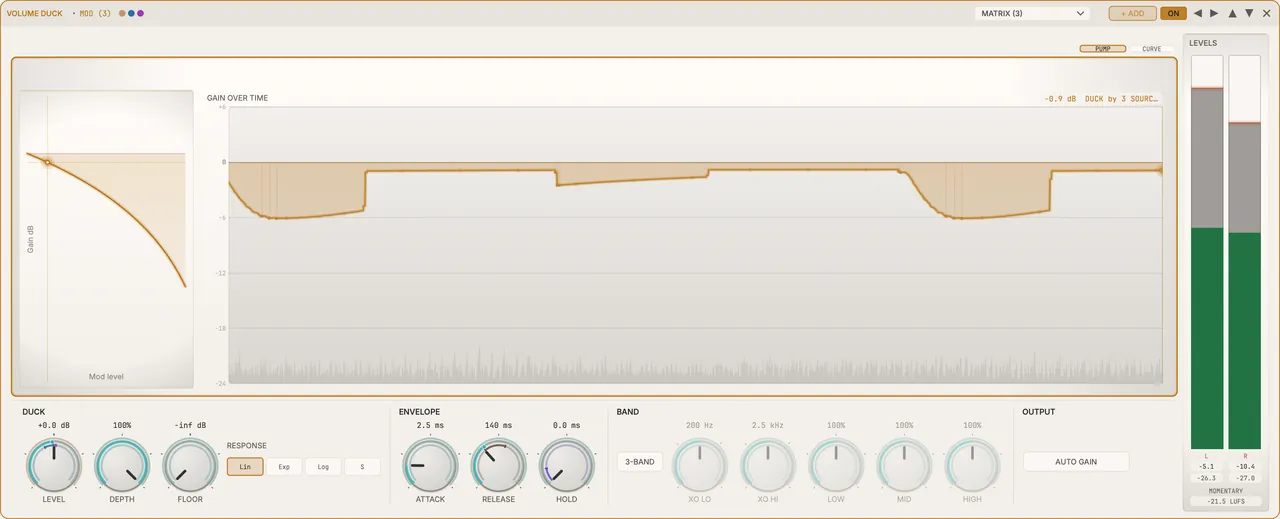
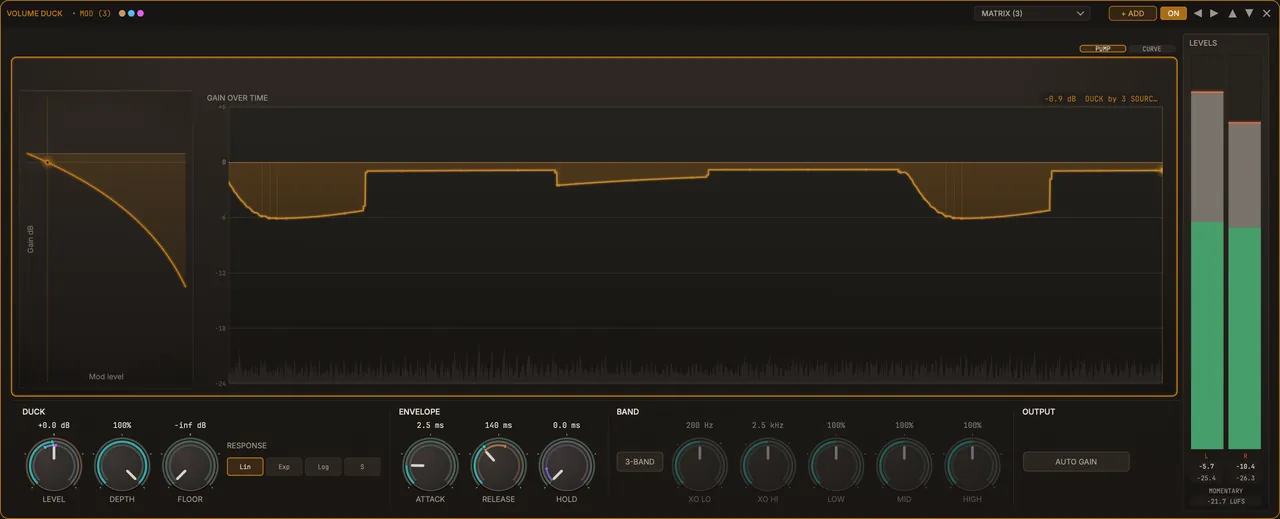
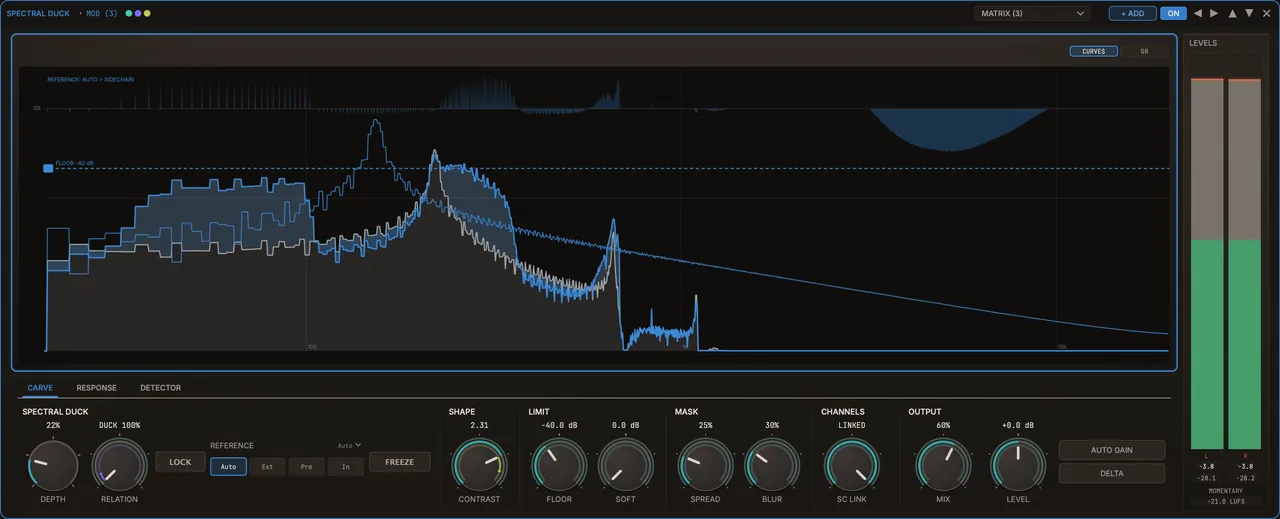
Volume Duck + Spectral Duck · LIVE + STUDIO
Let the kick cut through, without hollowing out the mix.
Volume Duck is the classic sidechain pump: the whole sound dips every time the kick hits, with zero latency in LIVE. When that hollows out the mix, switch to STUDIO and use Spectral Duck, which turns down only the frequencies where the kick, or any sidechain signal, actually has energy, and leaves the rest alone. The pad and bass keep their weight; they just step aside where they clash.
How to use it
- Put ShadowCast on the pad, bass or bus that needs to make room.
- Send the kick (or a vocal) to ShadowCast’s sidechain input from your DAW.
- Set the depth on Volume Duck for the pump, or switch to STUDIO and use Spectral Duck so the sound dips only where the two collide.
When you’d use it
A big pad and a four-on-the-floor kick fighting over the low end. Pump the whole pad, or duck it only underneath the kick and keep both full.
Technical details
- Volume Duck works in LIVE and STUDIO, with zero latency in LIVE, in Duck, Push or Bipolar.
- Spectral Duck (STUDIO) works frequency by frequency, not in a handful of fixed bands.
- Multiband Duck sits in between: 8, 16 or 32 bands, and it runs in LIVE too, on a zero-latency crossover.
Reverb · LIVE + STUDIO
Space that moves, so long tails never sound static.
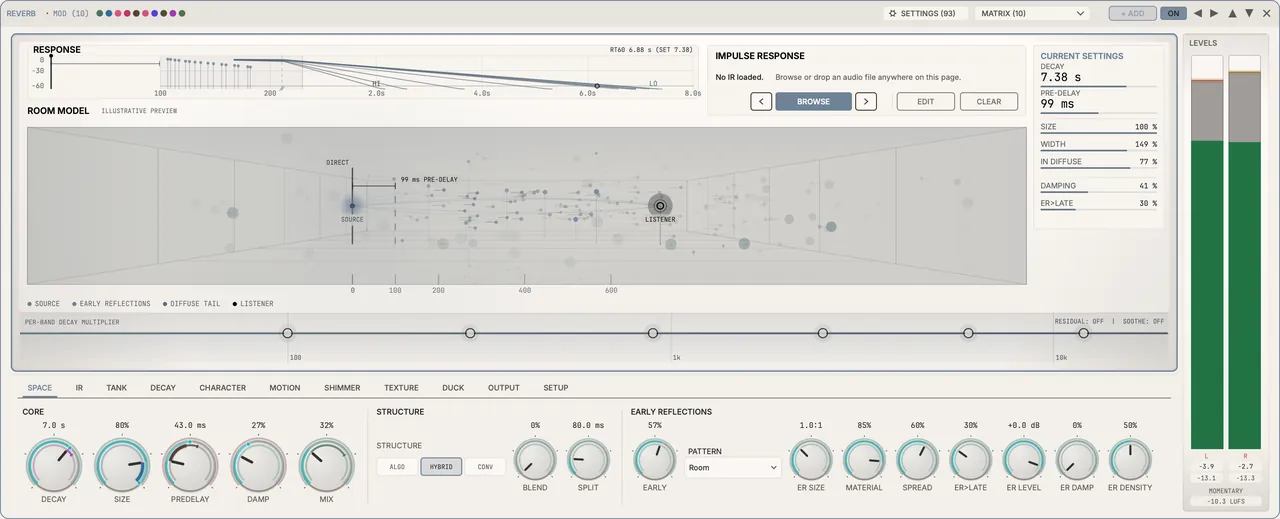
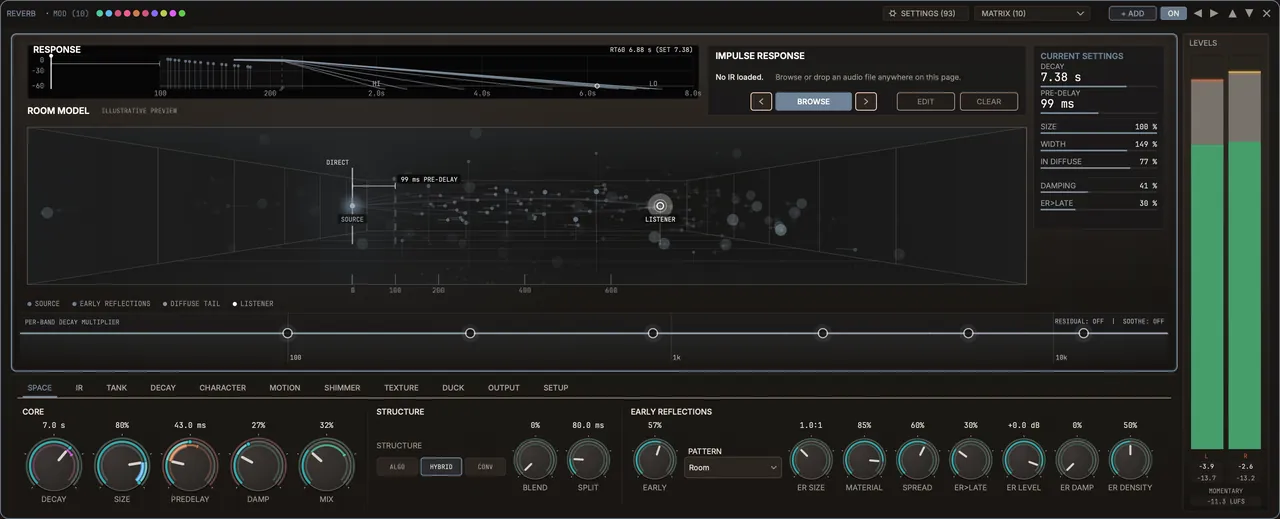
A modulated reverb: its tail shifts gently over time, so a long hall sounds alive instead of metallic. Choose the character of the first reflections, then let the tail bloom behind the sound.
How to use it
- Pick an early-reflection pattern for the kind of space you want.
- Set how long the tail lasts and how much of it you blend in.
- Point a modulator at it so the space can swell or duck with the track.
When you’d use it
Keys or a vocal that need a lush hall without turning to mush: a long, slowly moving tail that stays out of the way.
Technical details
- The tail comes from 8 to 24 gently moving delay lines or, in Hybrid and Convolution modes, from a recording of a real room or reverb that you load and edit.
- Freeze, Reverse and built-in ducking.
- Early reflections: Room, Chamber, Hall, Plate, Ambience, Slap, Scatter, or none.
- Its display shows the reverb energy spreading through a room and bouncing off its walls.
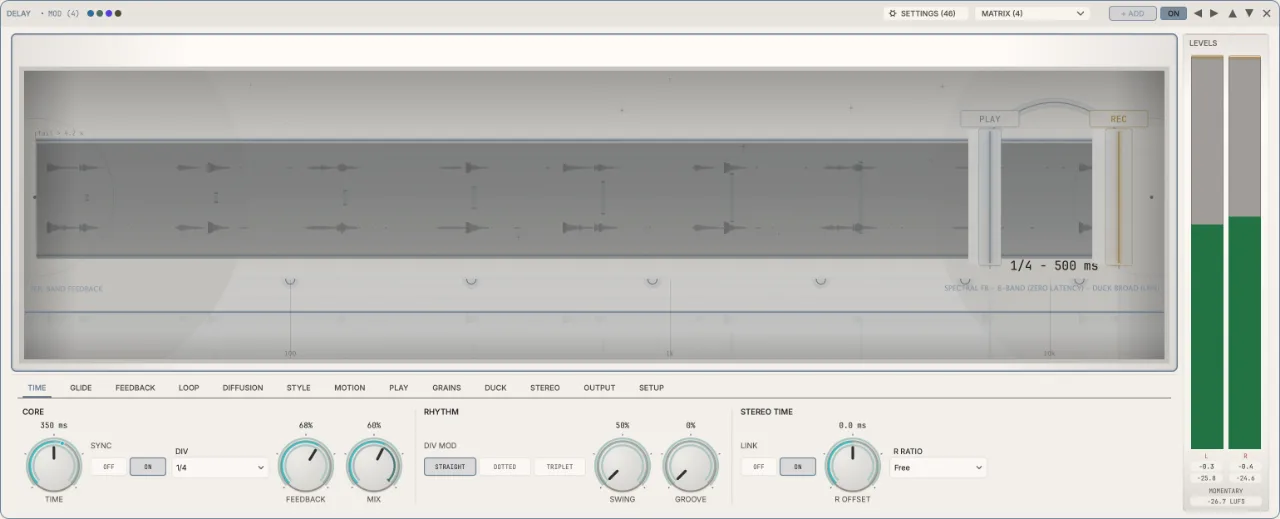
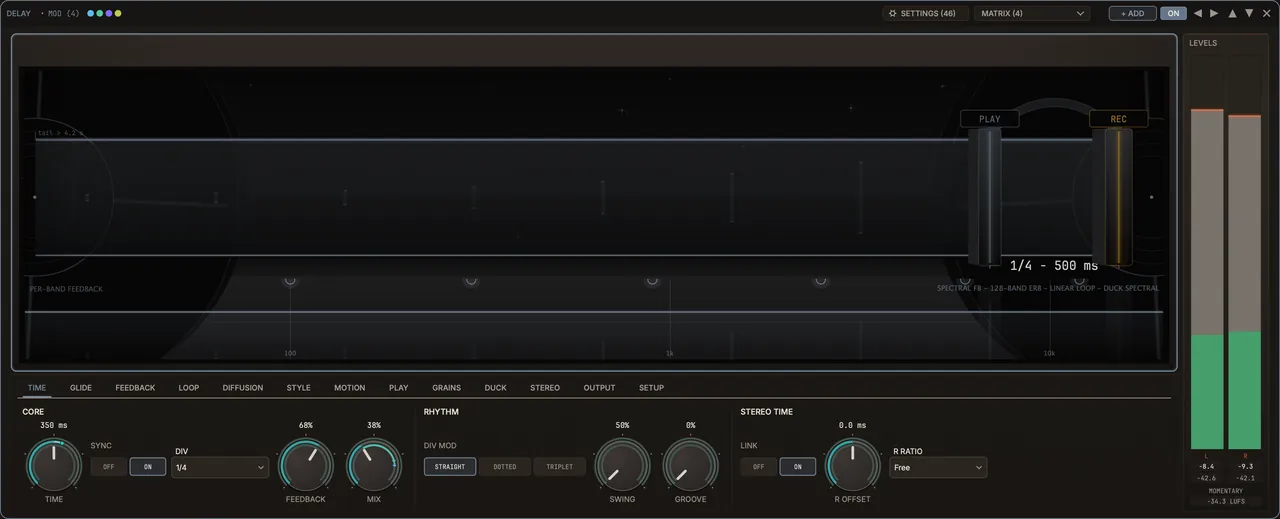
Delay · LIVE + STUDIO
Echoes that play a rhythm of their own.
A characterful stereo delay that comes alive with modulation. Gate it with a rhythm and the repeats stop being plain copies: they answer the part with a groove of their own.
How to use it
- Set the delay time, and the feedback for how long the echoes keep going.
- Blend in as much as you want with the mix.
- Add a modulator, such as Euclid, to gate or move the echoes in time.
When you’d use it
A vocal hook or lead line that needs echoes with attitude, not a copy on every quarter note.
Technical details
- Digital, Tape, BBD and Lo-Fi characters, with a feedback curve you draw.
- Kill, Throw and Flush for performance moves, plus Freeze and Grains.
- Echoes recede down a 3D corridor on screen; how far they travel is the feedback.
Tri-Layer · LIVE + STUDIO
Echo the attack, the body and the air separately.
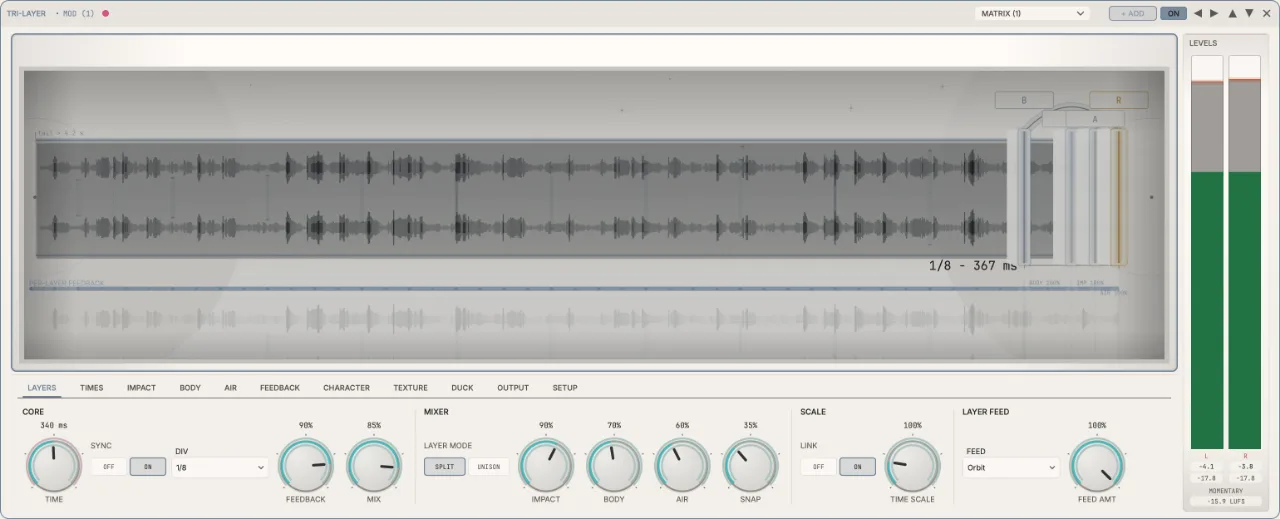
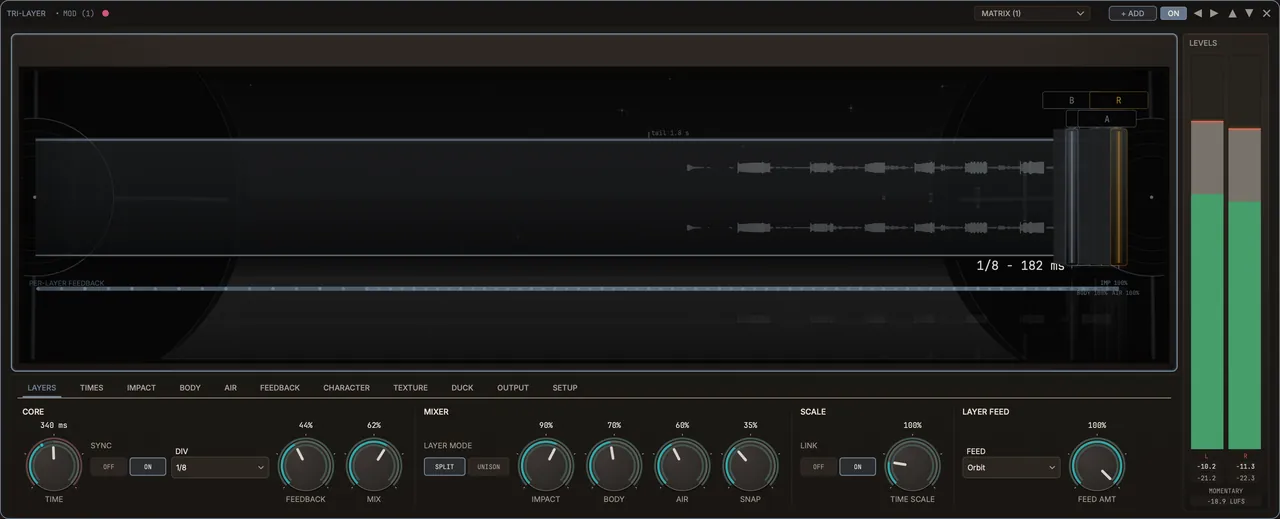
Tri-Layer splits a sound into three parts: the transient (the initial hit), the body (the sustained tone) and the air (the top end). Each part feeds its own set of echoes, so the pick of a guitar can slap back while its tone washes out behind it.
How to use it
- Load it on a pluck, guitar, keys or percussive part.
- Shape the echoes for each of the three layers.
- Modulate how much each layer feeds its echoes, for delays that shift and evolve.
When you’d use it
A plucked arpeggio that needs depth and width without smearing every note into the next.
Technical details
- Three independent layers of delay taps: transient, body and air.
- Six feed modes: Parallel, Cascade, Orbit, Dub, Halo and Ring.
- It modulates the routing, never the delay time, so there’s no pitch wobble or zipper noise.
Spectral engine · STUDIO
Reshape the tone of a sound, frequency by frequency.
In STUDIO, ShadowCast can work on the individual frequencies inside a sound. Draw a tonal shape and Spectral Curve pulls the sound toward it. Upward Spectral boosts where the sidechain lands, to fatten the bass when the kick hits. Resonance tames harsh peaks, and its Delta listen plays only what’s being taken out.
How to use it
- Switch ShadowCast to STUDIO.
- Pick the resolution in the footer: quicker response at the low end, finer frequency detail at the high end.
- Draw a curve, or let a sidechain decide where to cut or boost.
When you’d use it
Turning a plain synth pad into something new. In the demo, the Bell Choir preset turns a detuned saw pad into a choir of bells.
Technical details
- Spectral Duck, Spectral Curve, Upward Spectral, Resonance and Spectral Utility, plus Multiband Duck (also in LIVE).
- DELTA plays only what an effect changes, whether it removes or adds. SC LINK links the stereo detector: at 100% both channels share one detector so the image can’t shift; lower values detect each channel on its own.
- BANDS: Auto (the default), 256 or 512.
- Latency is reported to your DAW, so everything stays in time.
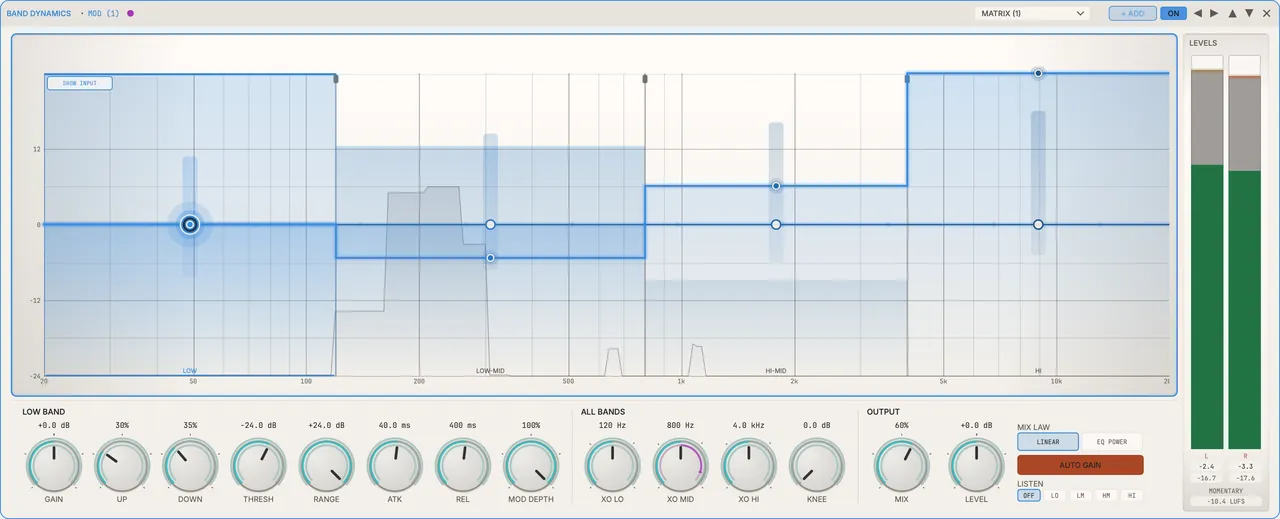
Band Dynamics · LIVE + STUDIO
Punch and polish, band by band.
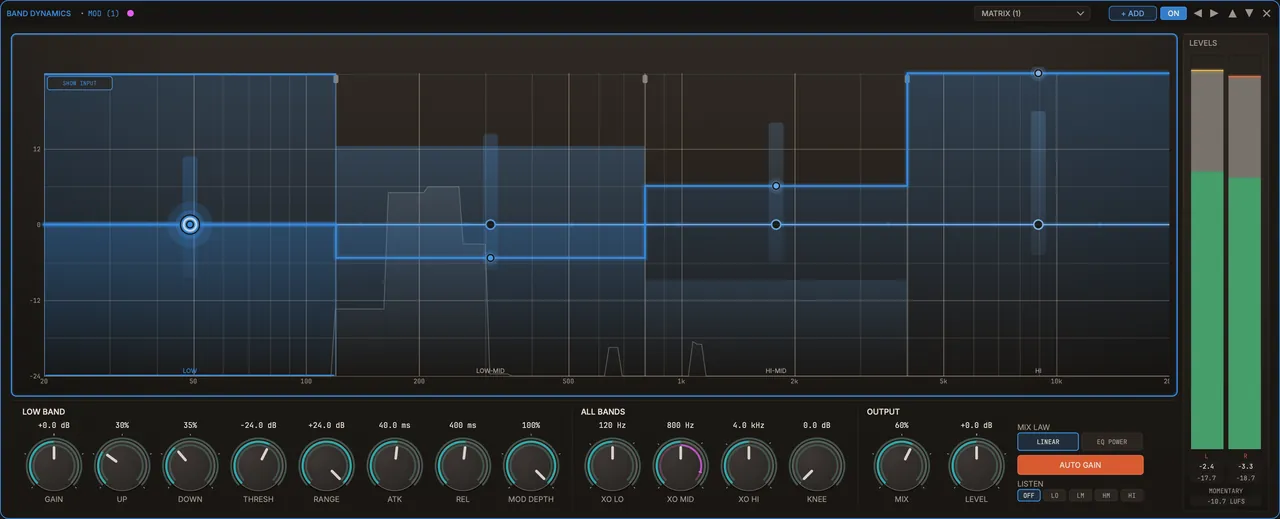
The OTT-style effect: four frequency bands, each with its own upward and downward compression. Quiet detail comes up, loud peaks come down, and drums and bass hit harder and sound more finished.
How to use it
- Put it on drums, a bass or a whole beat.
- Set each band’s threshold for how hard it works.
- Use LISTEN to solo one band while you dial it in.
When you’d use it
A groove that sounds polite on its own. Make the kick and bass punch through without reaching for a separate multiband compressor.
Technical details
- Four Linkwitz-Riley bands, each with upward and downward compression to a threshold, plus static gain.
- The same engine is built into EQ Band Duck’s Adaptive mode.
Browse the effects
Effects marked STUDIO run only in STUDIO. Everything else runs in both modes.
Dynamics
- Volume DuckDucks the level, in Duck, Push or Bipolar.
- Volume PushThe upward twin: pushes the level up to exactly 0 dB.
- Trance GateTempo-synced gate with 16 drawn steps and smooth edges, 1/4 to 1/32, dotted and triplet.
- Multiband DuckSidechain ducking across 8, 16 or 32 bands, in LIVE too.
Filter
- FilterLowpass, Bandpass, Highpass, Notch, Peak and Comb, 3 to 36 dB/oct.
- CombA tuned feedback-comb resonator, Peaks or Hollow.
Character
- DriveSaturation: Tape, Tube, Diode, Class-A, Fold, Crush, Pentode, Transistor, Iron.
- Bit CrushBit-depth and sample-rate reduction, with dither options.
- HarmonicsA harmonic enhancer using asymmetric saturation.
Mod FX
- Ring ModRing modulation with a carrier that can track the note.
- AMAmplitude modulation, from slow tremolo up to audio rate.
Space
- PanStereo pan with a 0, −3 or −6 dB pan law.
- WidthStereo width, broadband or in three bands.
- Mid-SideProcess mid and side separately, broadband or in three bands.
- HaasA Haas-effect stereo delay, leading left or right.
Pitch/Phase
- Phase RotateAllpass phase rotation that leaves the tone unchanged.
- DetuneMulti-voice detune with 1, 2, 3, 5 or 7 voices.
EQ
- EQ Band DuckOne EQ band carved by the modulation, plus a drawn 8-band EQ.
- Band DynamicsFour bands of upward and downward compression (OTT-style).
- SC BandTriggers from one band of the sidechain: full, sub, mid or high.
Time
- ReverbA modulated reverb with eight early-reflection options.
- DelayA character stereo delay.
- Tri-LayerTransient, body and air, each with its own delay taps.
Transient
- TransientLets modulation through only on the hits.
- BodyLets modulation through only on the sustain.
Spectral
- ResonanceStudioTames harsh resonances, with Delta listen.
- Spectral DuckStudioDucks only the frequencies where the sidechain has energy.
- Spectral CurveStudioPulls the spectrum toward a curve you draw.
- Upward SpectralStudioBoosts where the sidechain has energy, up to a ceiling.
- Spectral UtilityStudioA tap for the audio of any spectral effect, normal or delta.
Utility
- Pitch TrackStudioTracks the played note and scales modulation by it, so lower notes pump harder. STUDIO only, no added latency.
- LimiterThe master limiter: zero latency in LIVE; in STUDIO it looks 6 ms ahead and also catches the peaks between samples.
- Limiter 2A second limiter you can place in any lane.
- UtilityGain and utility you can drop anywhere.
Want it first? Get the launch price.
Join the launch list for a free MIDI pack now, then one email when ShadowCast launches, with the launch price and a 14-day free trial.
Get notified at launchMODULATION
Eight ways to bring a sound to life.
Modulators move controls for you, so a sound keeps evolving without automation. Any of these eight can drive the controls of any effect, each connection with its own drawn curve, and rings on every knob show the movement. Going deeper, one modulator can set how strongly another moves a knob, modulators can move each other’s settings, and one grid shows every connection at once.
Tap a modulator to see what it does.
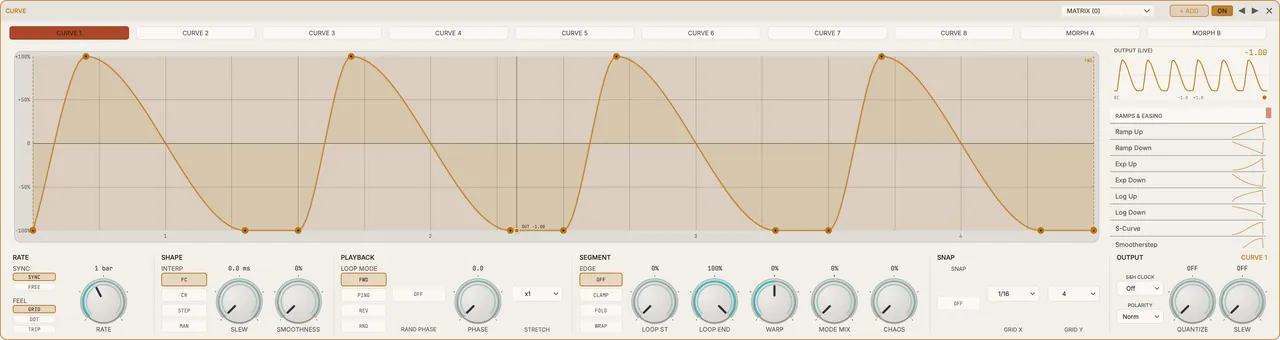
Curve
Draw the movement.
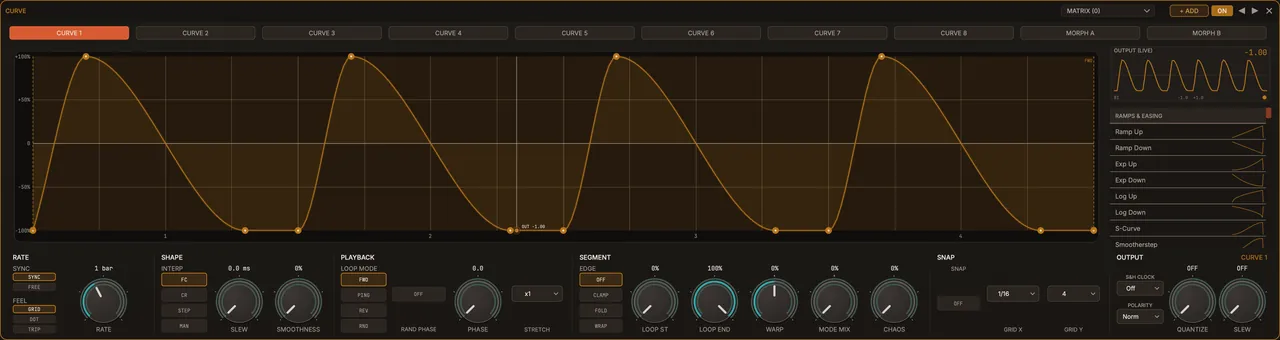
Draw your own shapes as smooth curves that never overshoot your points, or start from 160 built-in ones. Keep eight shapes in two sets of four and blend each set on an XY pad, by hand or with an automatic orbit. You can even blend by moving the points themselves, for a true in-between shape rather than one shape fading into another. Switch to Stepped mode and Curve doubles as a step sequencer for modulation, playing forwards, backwards, back and forth or in random order, and the built-in shapes include ready-made gates and step patterns.
Try it: Draw a swell that rises into each bar and drive a filter with it, then move the XY pad to blend in a second shape as the track builds.
Perlin
Motion that never repeats.
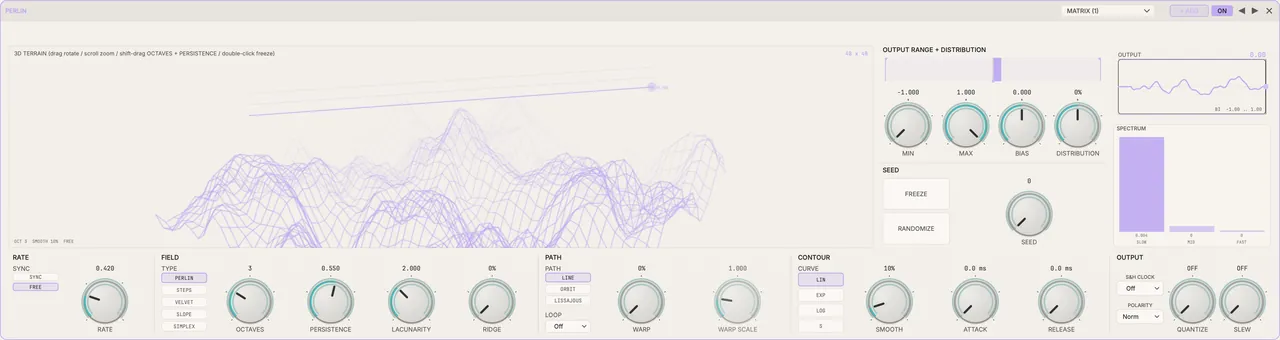
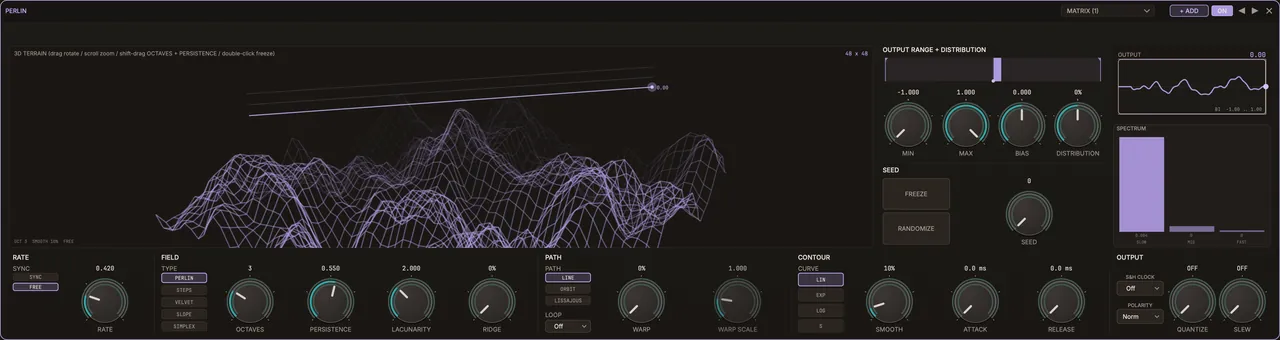
Smooth random movement (Perlin noise) built from up to 8 layers of finer and finer detail, and you choose how much the fine layers count: slow organic drift or restless texture. It never loops, so it never sounds mechanical.
Try it: Let it drift the width or tone of a pad so a long held chord keeps breathing without sounding like an LFO.
Euclid
Rhythm by mathematics.
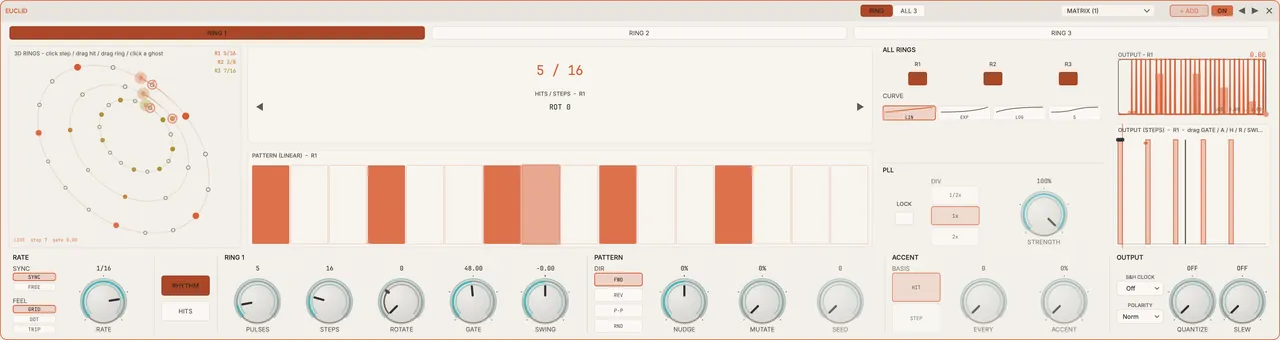
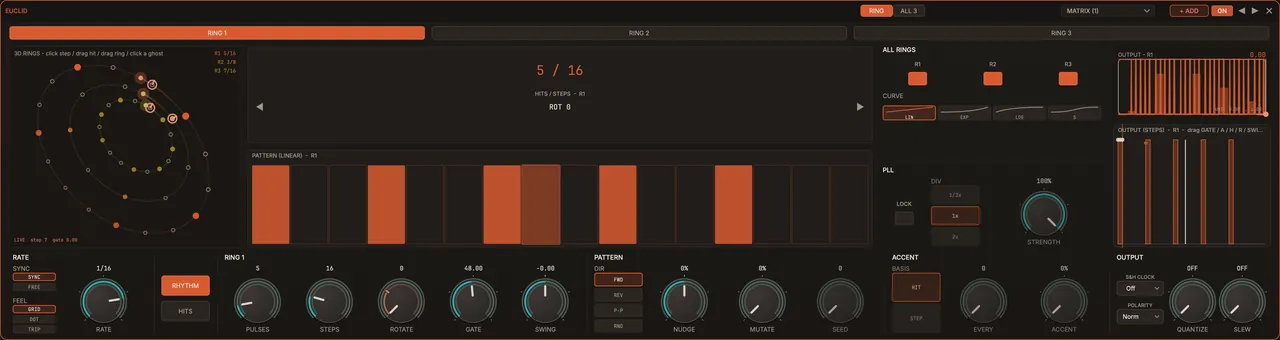
Spreads any number of hits as evenly as possible across a bar, the same simple rule behind rhythms heard all over the world. Stack three rings of up to 64 steps, with ratchets, for interlocking polyrhythms.
Try it: Gate a delay or duck a pad in a rhythm that sits against the beat, for groove without programming a single note.
Lorenz
Controlled chaos.
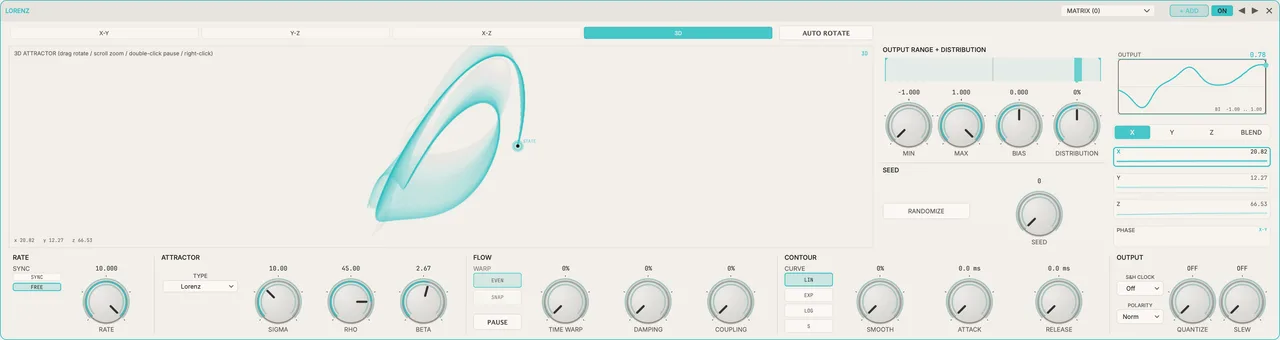
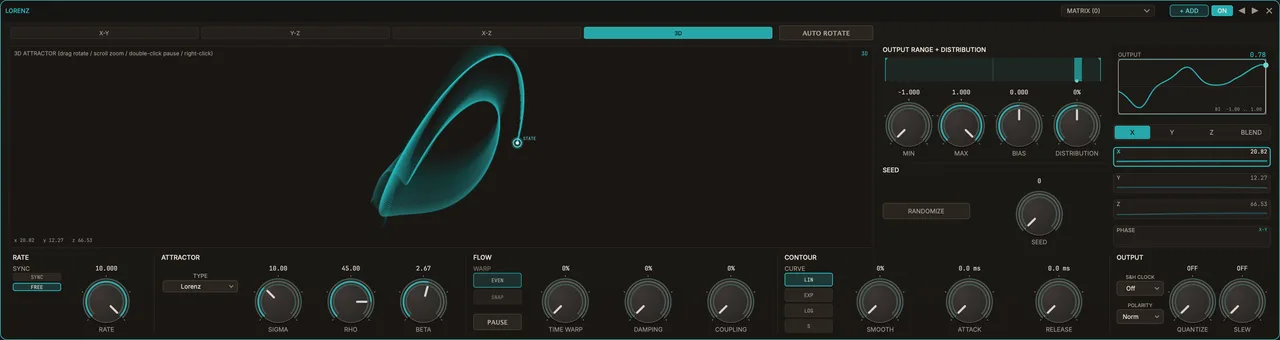
A real Lorenz attractor, calculated with high-precision maths, drives your modulation along paths that never repeat but always stay in bounds. Pick from 7 attractor shapes: Lorenz, Rössler, Chen, Halvorsen, Thomas, Aizawa and Sprott, and watch them draw in 3D.
Try it: Wander the pan, filter and drive of an ambient texture so it is never the same twice, but never runs out of control.
Markov
Patterns that learn.
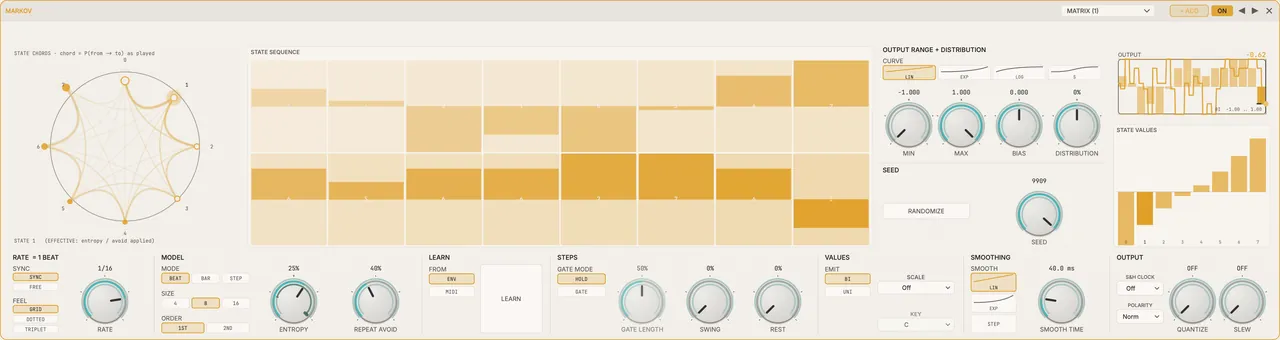
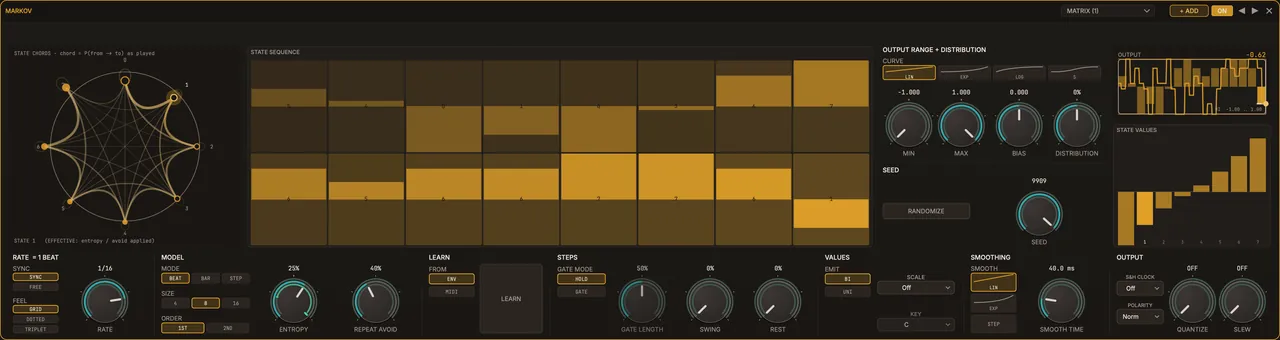
Moves between 4, 8 or 16 values, choosing the next one by chance. Set how likely each move is yourself, or let it learn from what you play when you hit Learn, from your envelope or MIDI, for modulation that feels composed rather than random.
Try it: Play a part, hit Learn, and let it move an effect in patterns that follow how you played.
LFO
The classic, rebuilt.
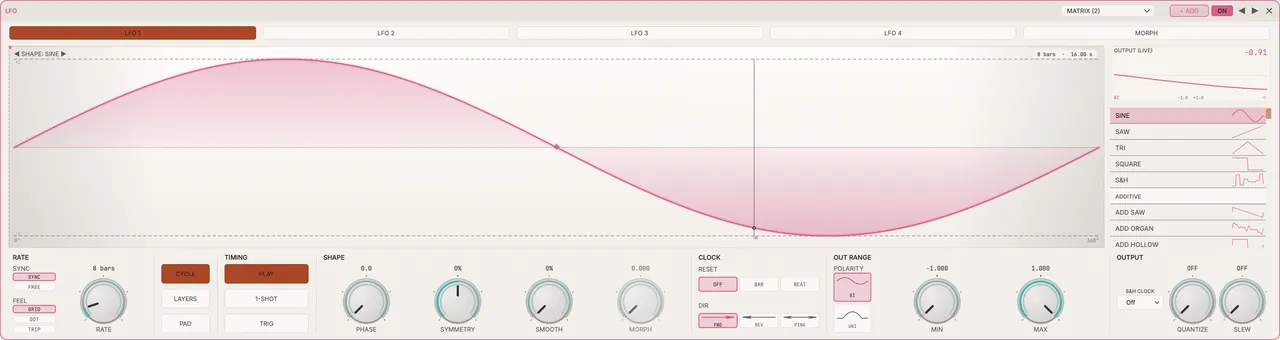
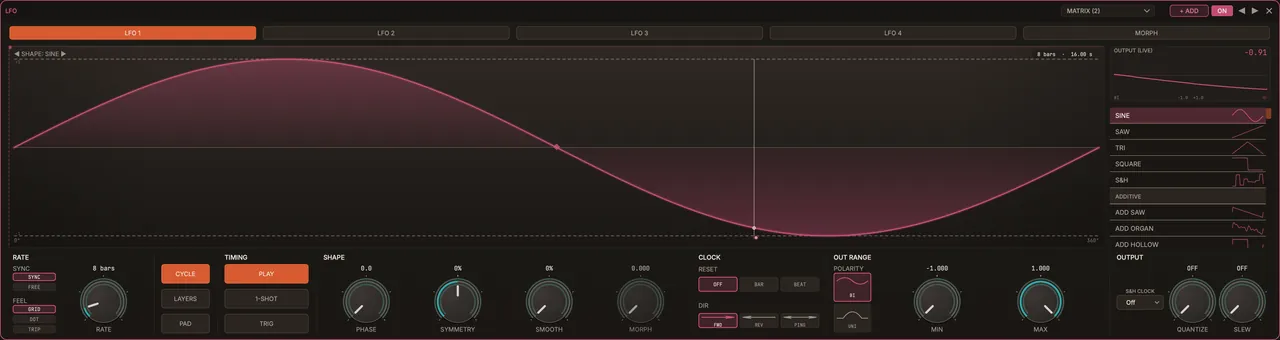
Tempo-synced sine, saw, triangle, square and sample-and-hold (random steps), their sharp edges smoothed so fast rates stay clean. Plus banks of harmonic, bell-like and formula shapes that morph smoothly without turning harsh.
Try it: A tempo-synced wobble, tremolo or auto-pan in seconds, then morph to a glassier shape when you want something less familiar.
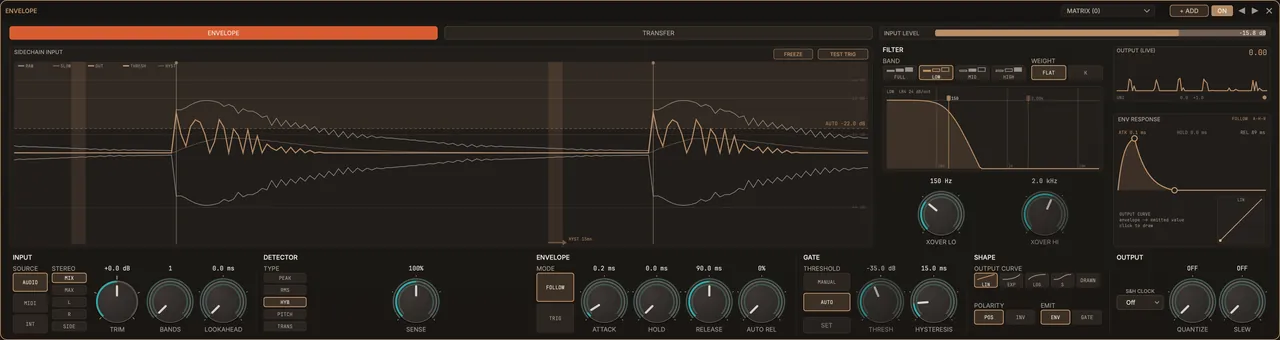
Envelope
Follows every hit, with zero delay.
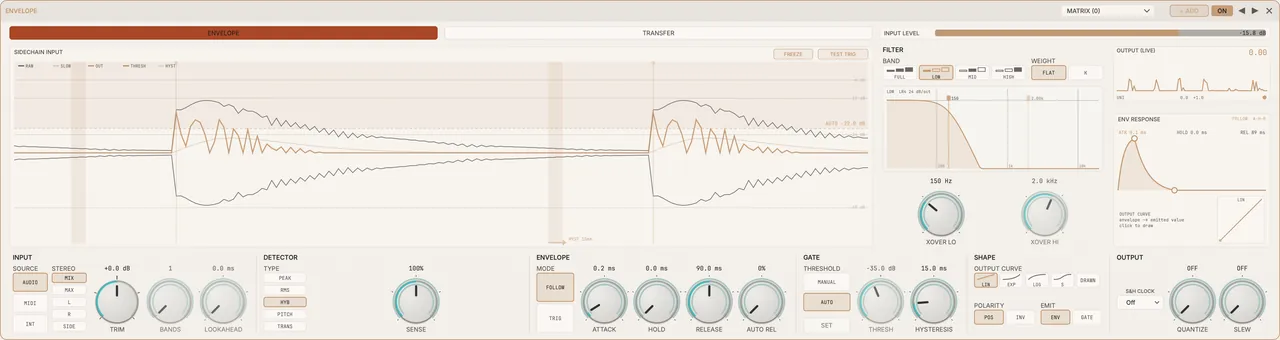
Follows how loud a sound is and reacts to a hit within about a sample, without holding the audio back to see it coming. An optional filter makes it judge loudness the way your ears do.
Try it: Follow the hits of a drum loop and push a filter or drive on every one, tight to the transient.
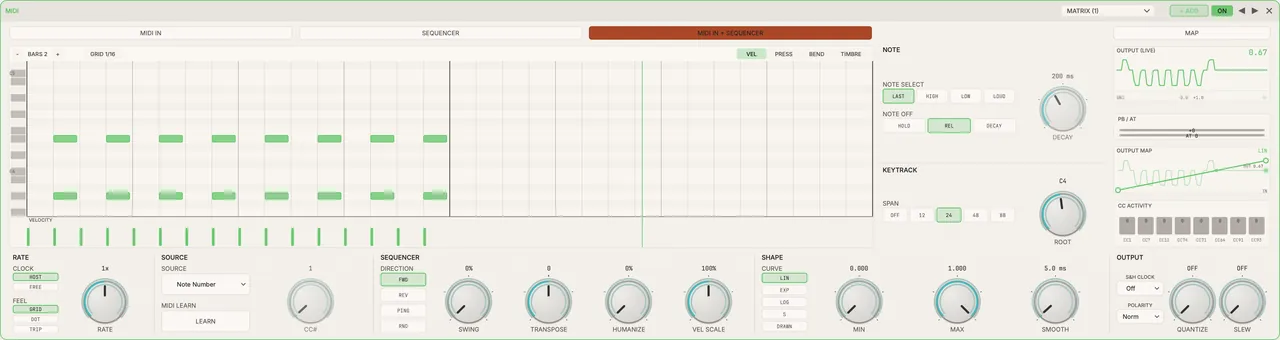
MIDI
Play the modulation.
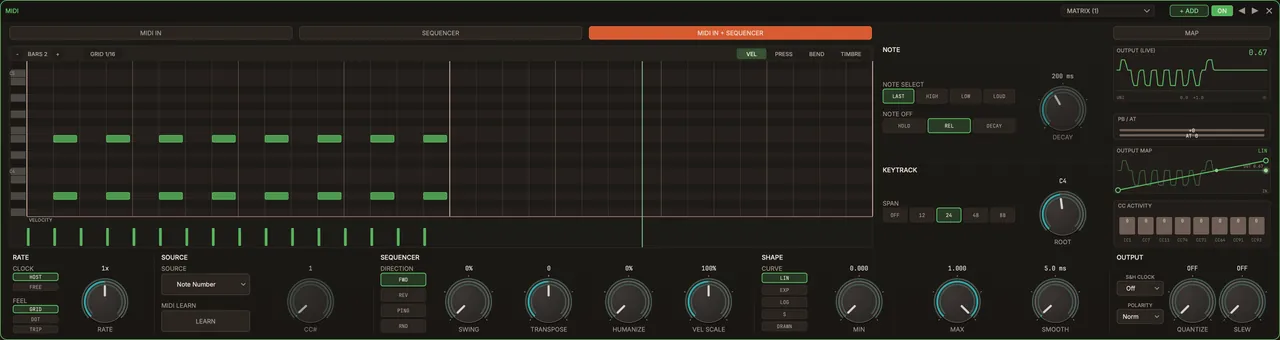
Drive any connection from how hard you play (velocity), which note you play, the mod wheel, aftertouch, pitch bend or any MIDI controller, and set the exact range each one covers. Or draw notes into its piano roll, or drop in a MIDI clip, like those in the free pack: it fits to whole bars (up to 16) and loops in time with your project.
Try it: Map the mod wheel to reverb size and the delay mix and perform the build live, or ride it from a controller in the mix.
METERS
See exactly what your audio is doing.
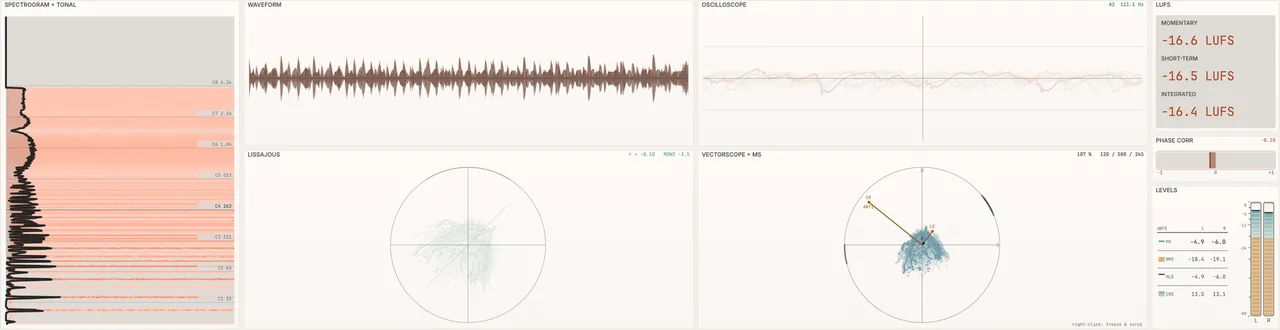
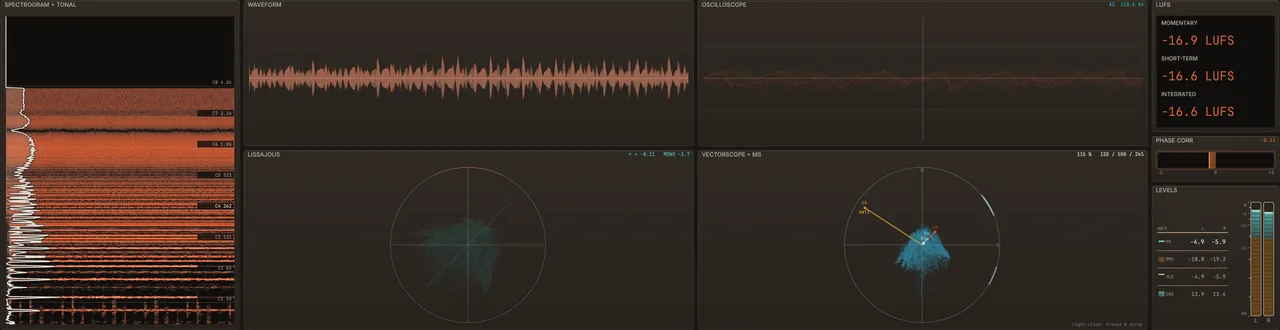
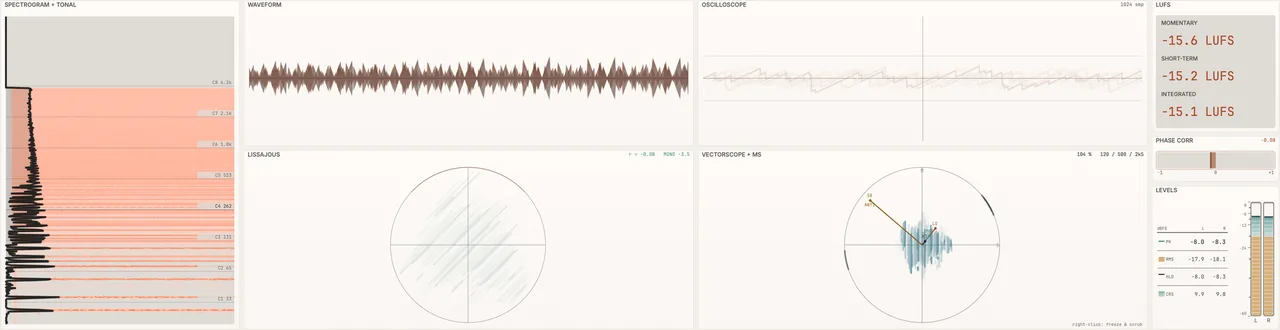
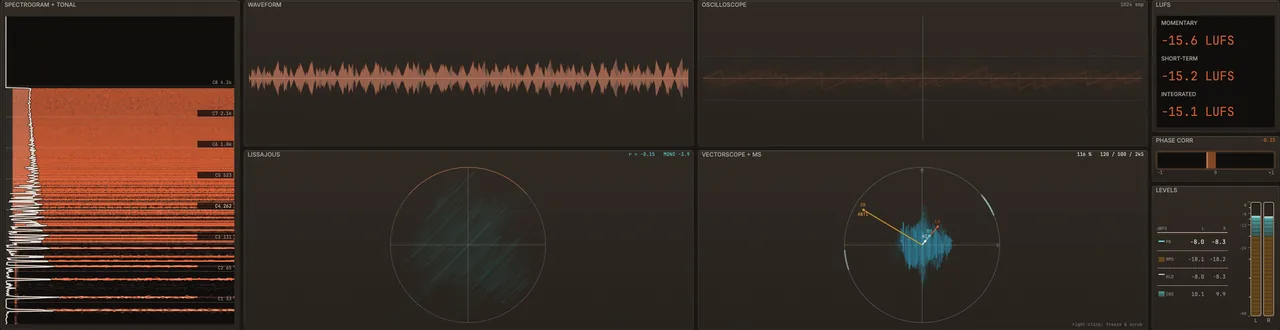
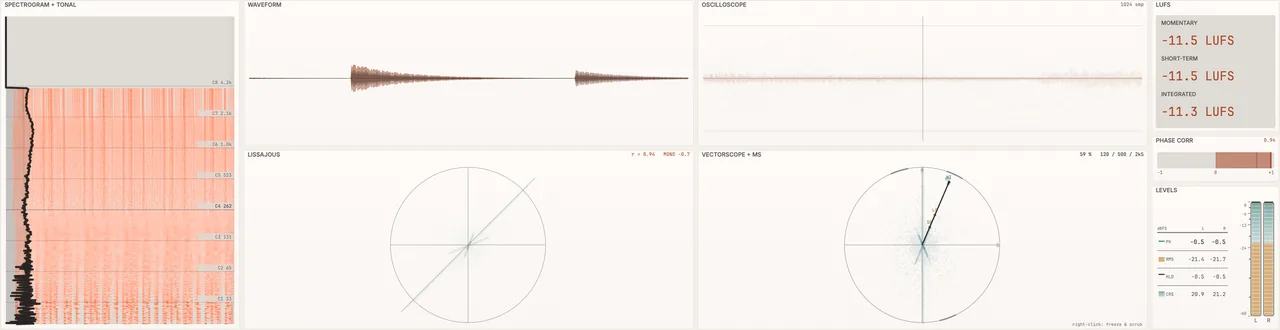
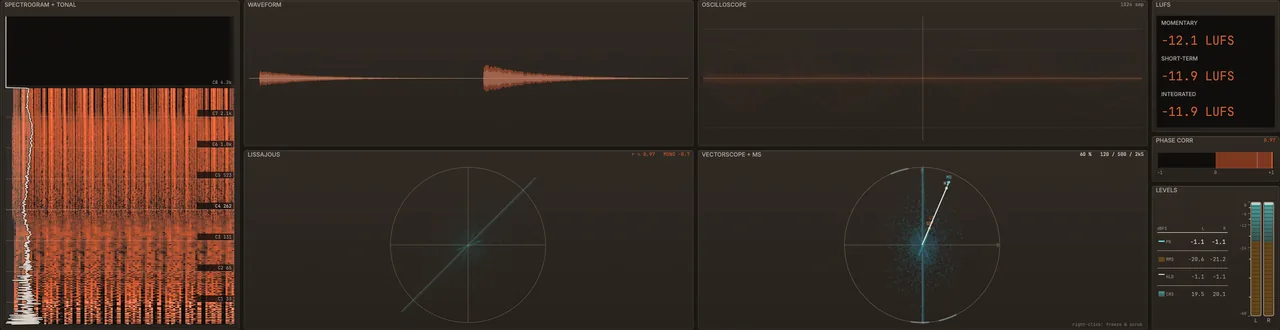
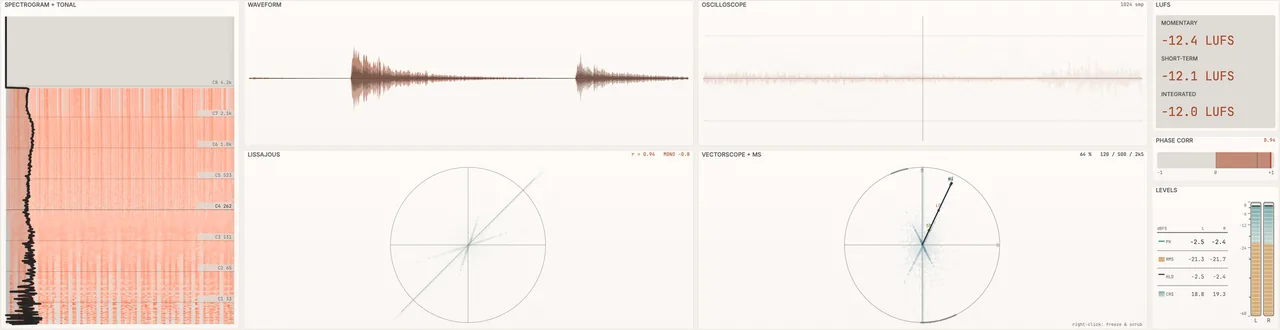
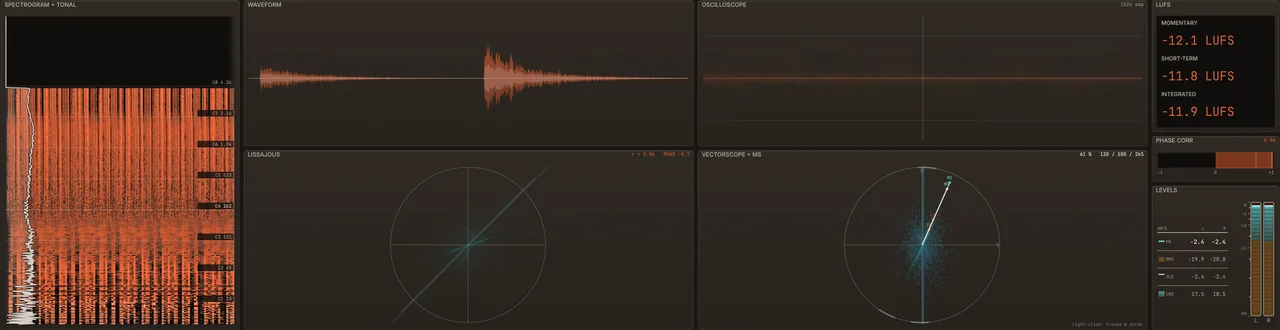
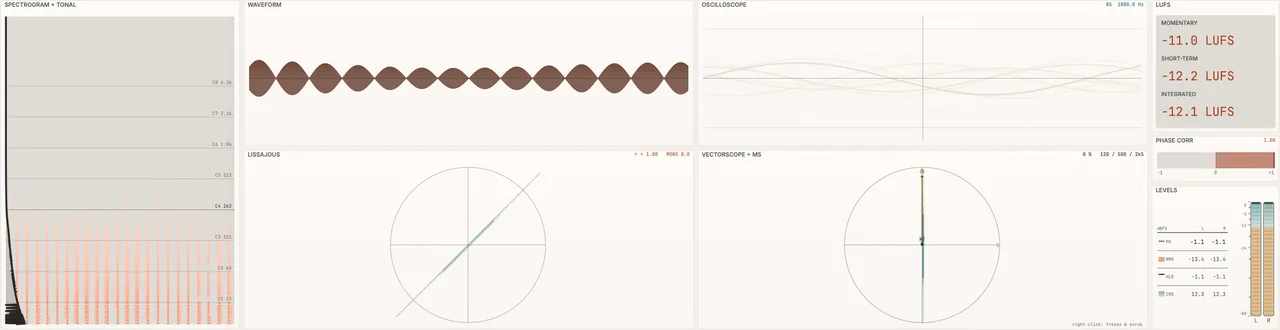
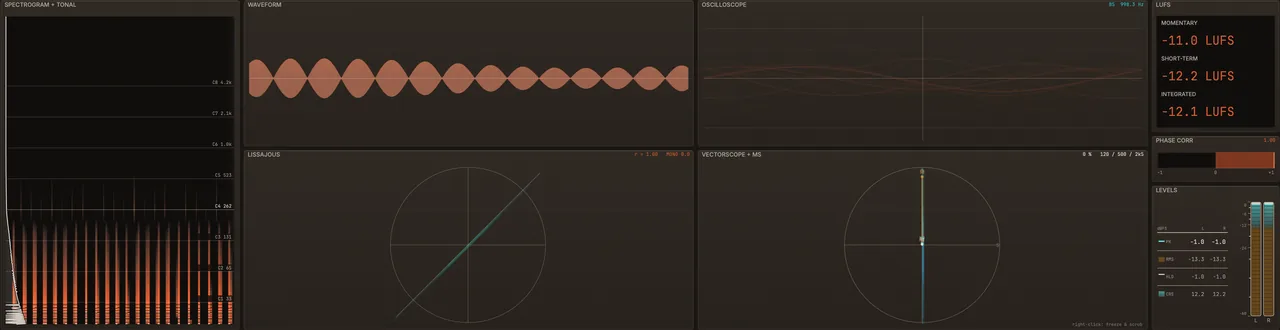
Eight meters are built in: spectrogram, waveform, oscilloscope, Lissajous, vectorscope, LUFS loudness, phase correlation and levels. Every display in ShadowCast is fed straight from the audio it’s processing, so what you see is what’s happening. The scopes capture every sample, not an approximation. They never add latency, and Forensic mode lets you freeze, zoom, scrub and snap to events.
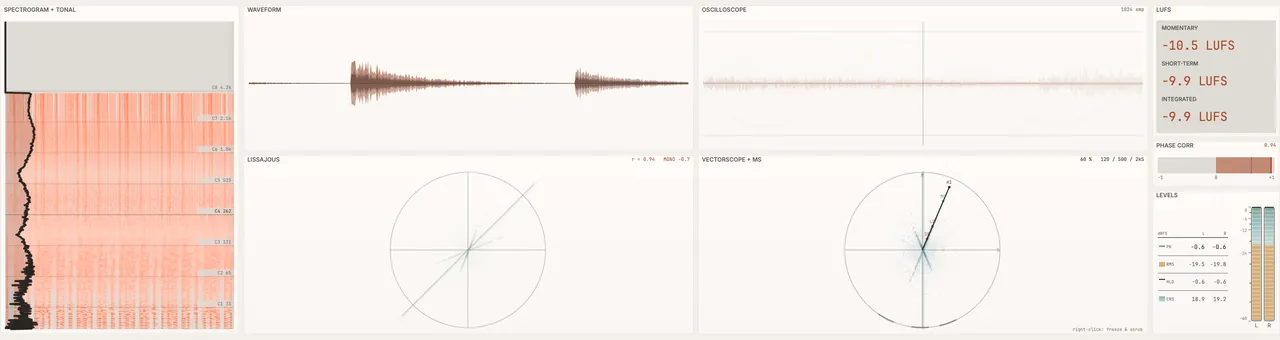
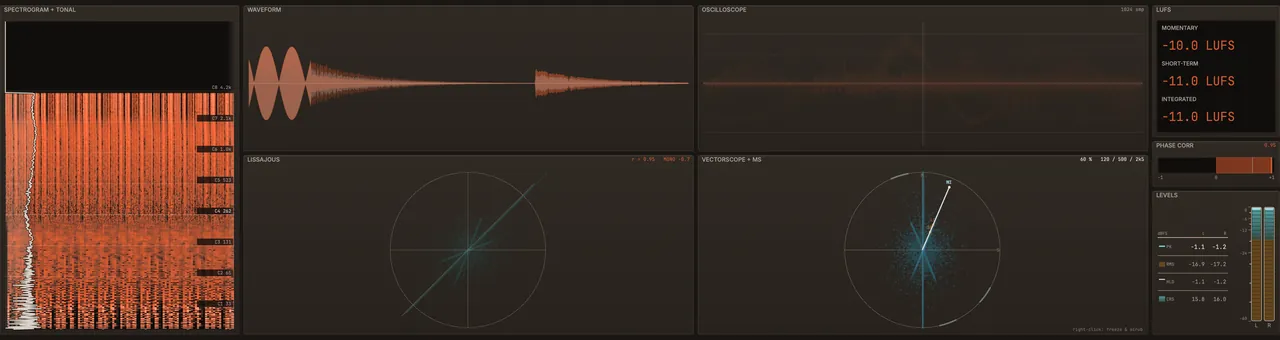
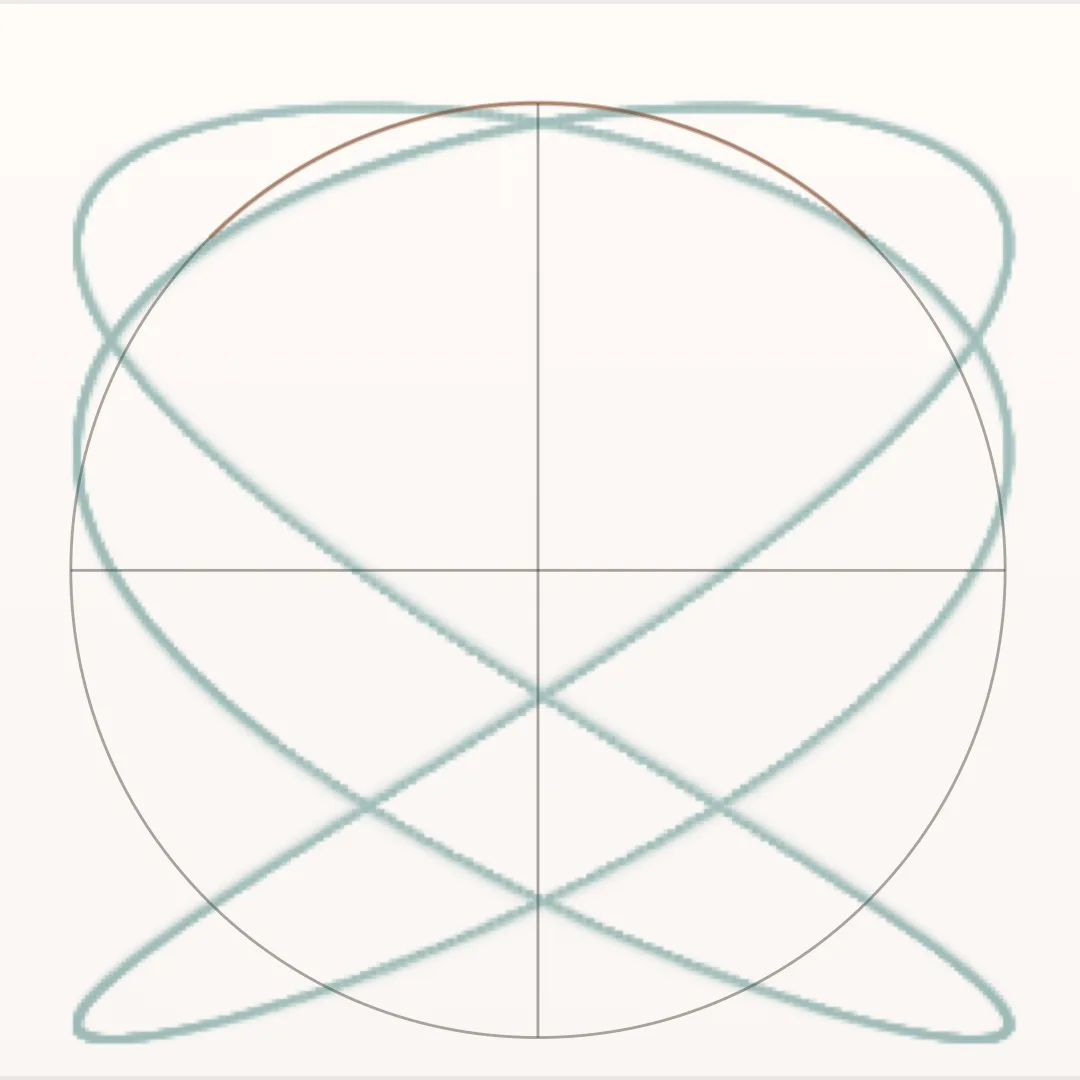
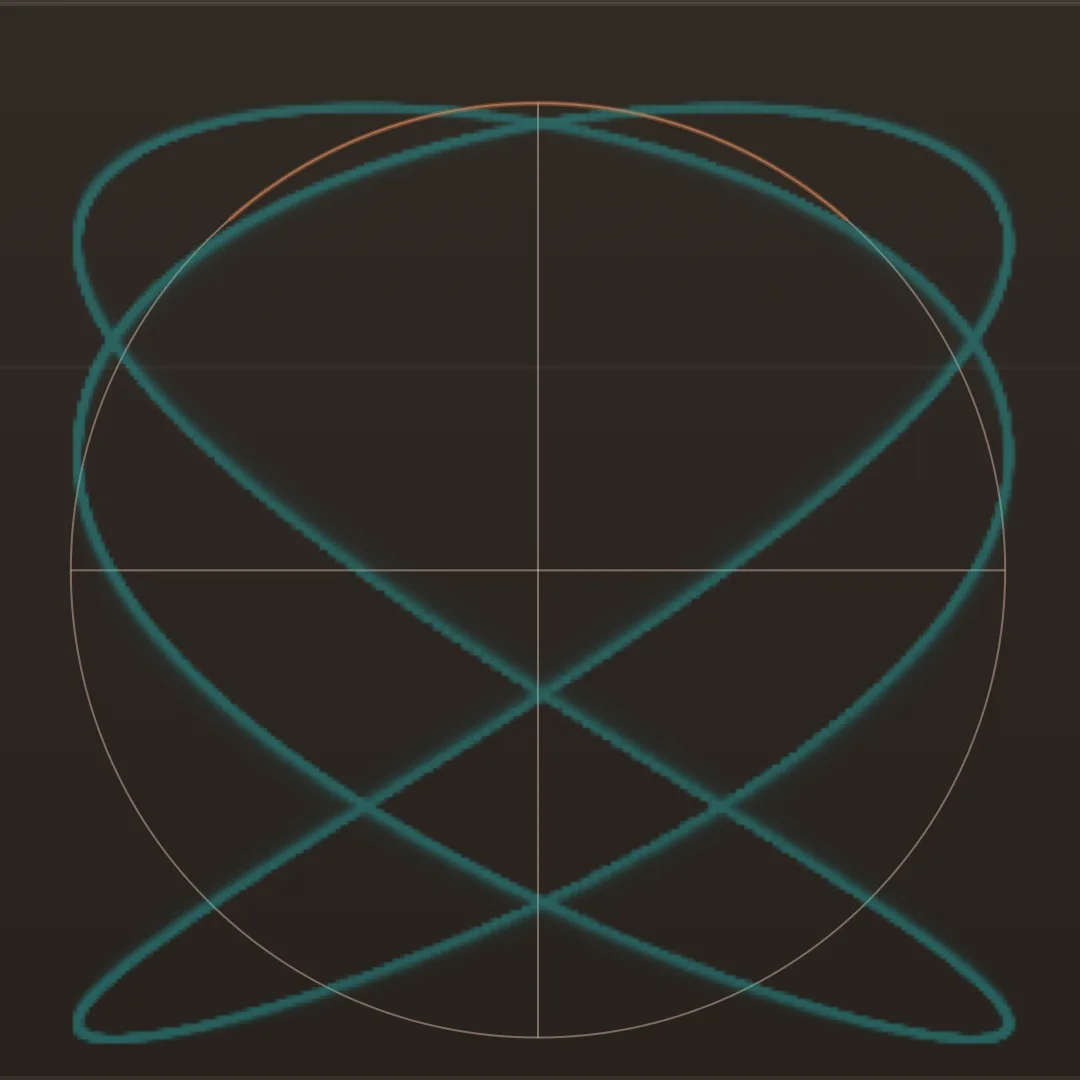
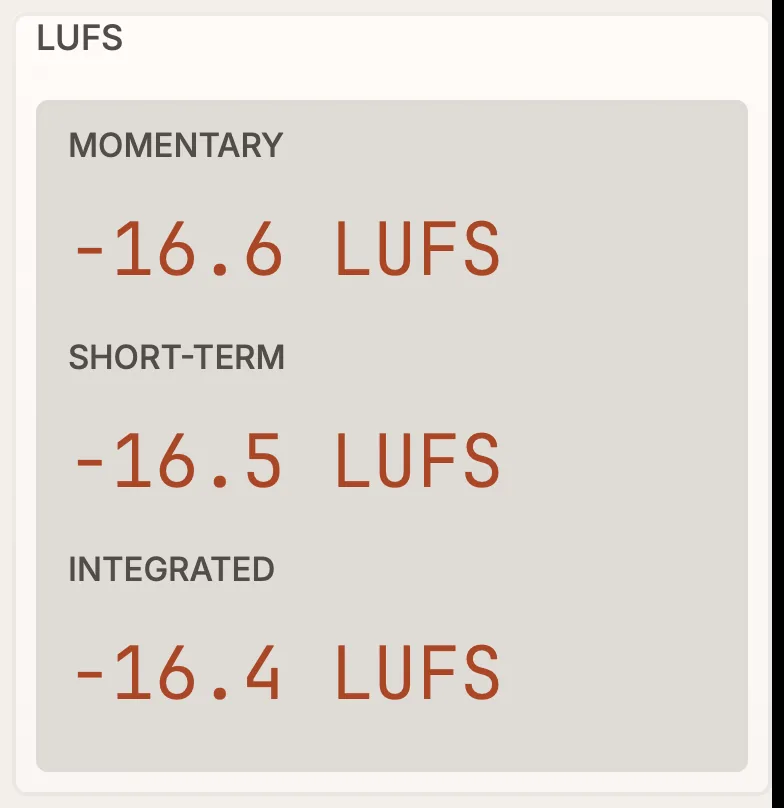
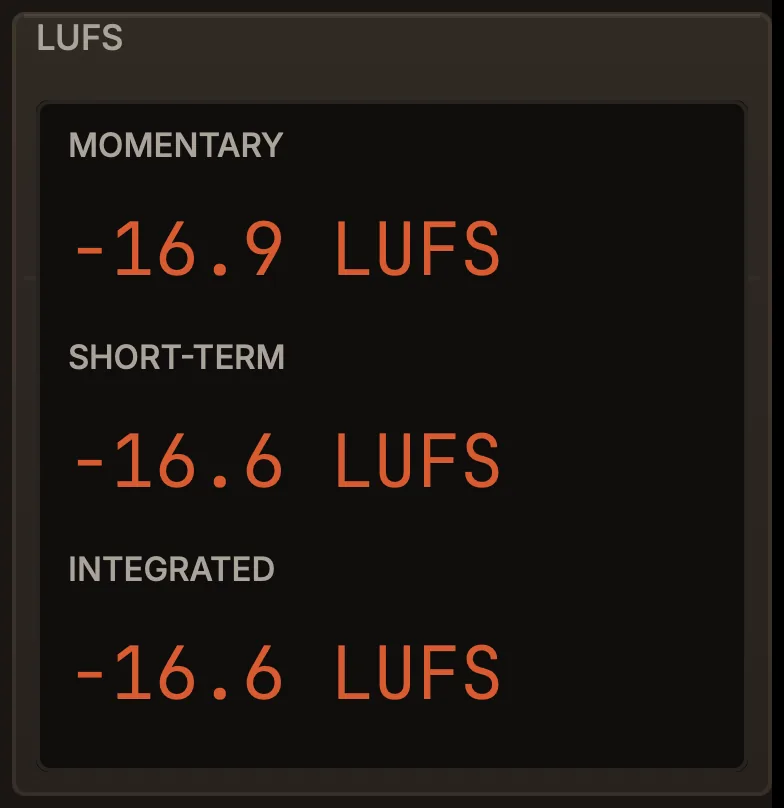
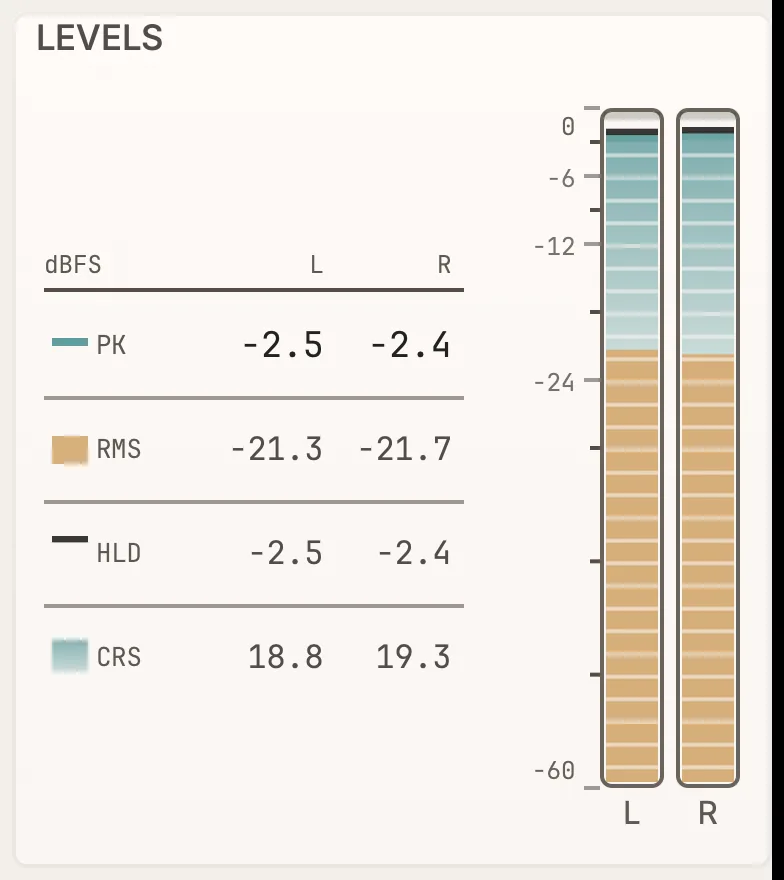
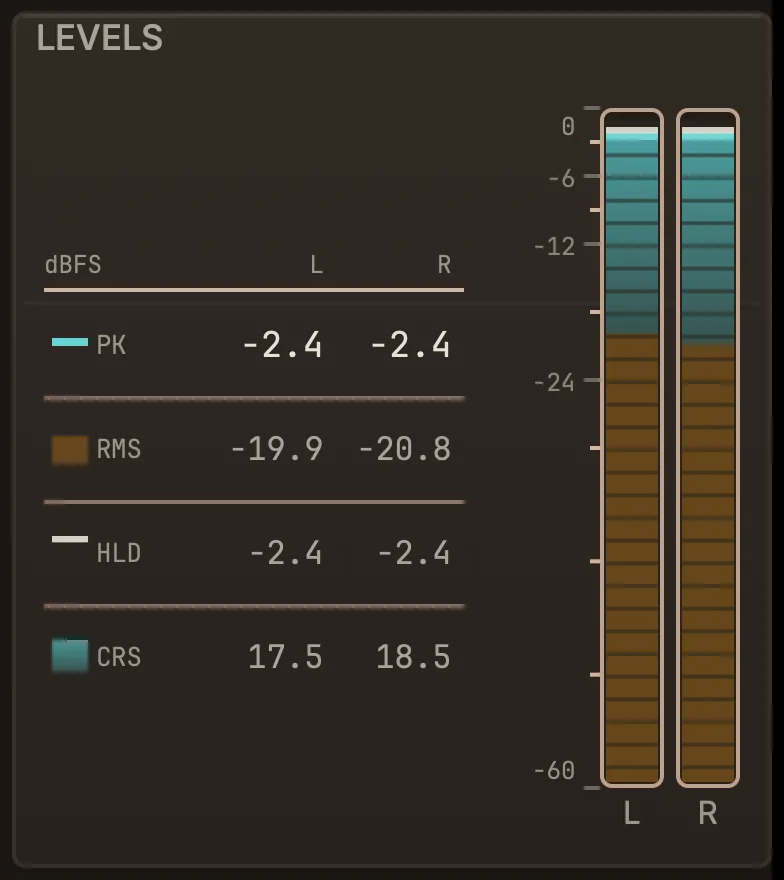
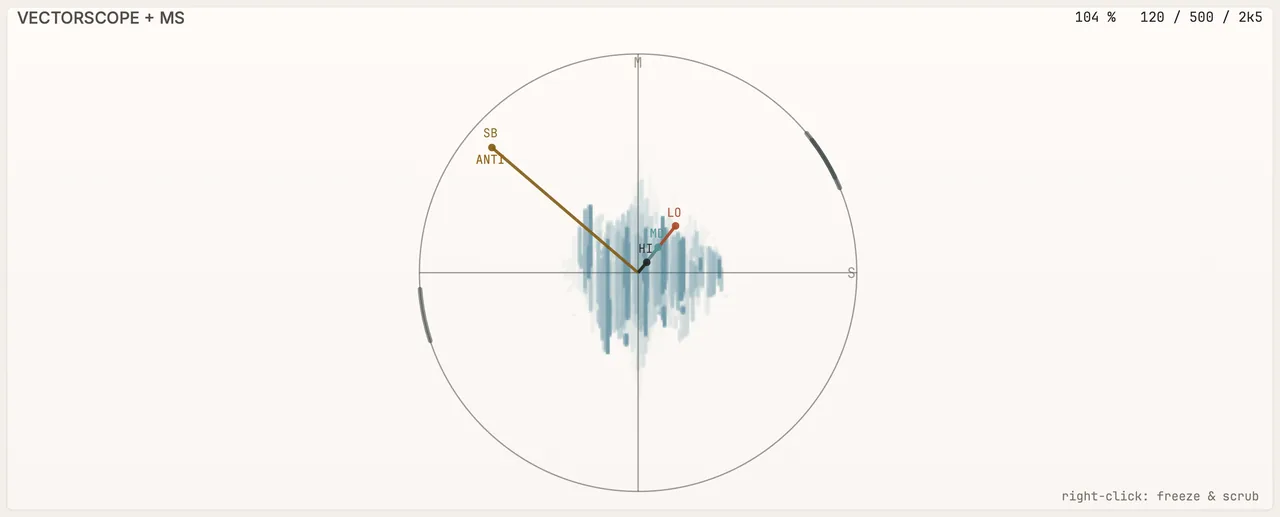
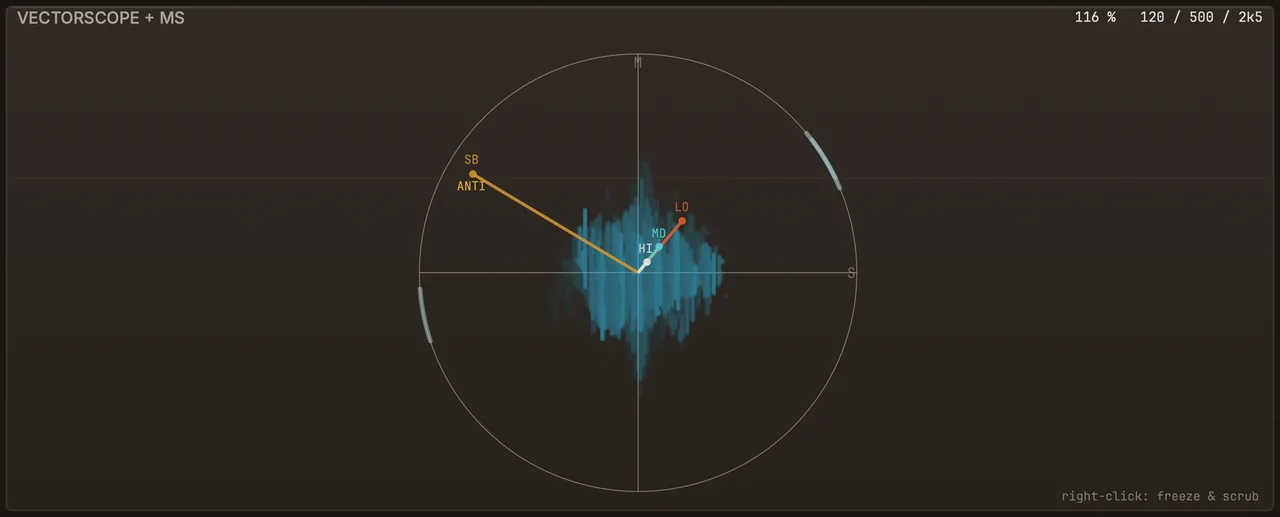
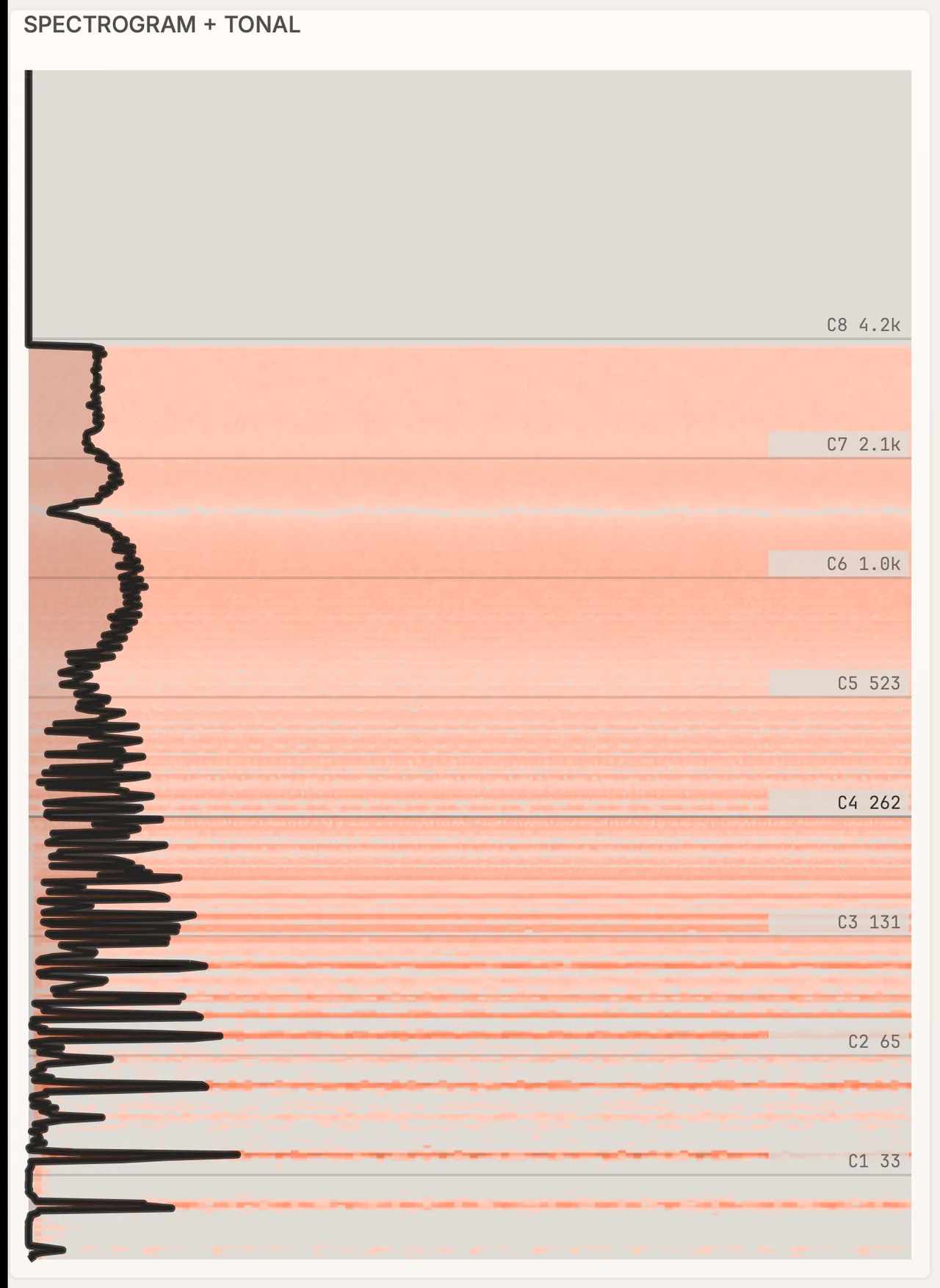
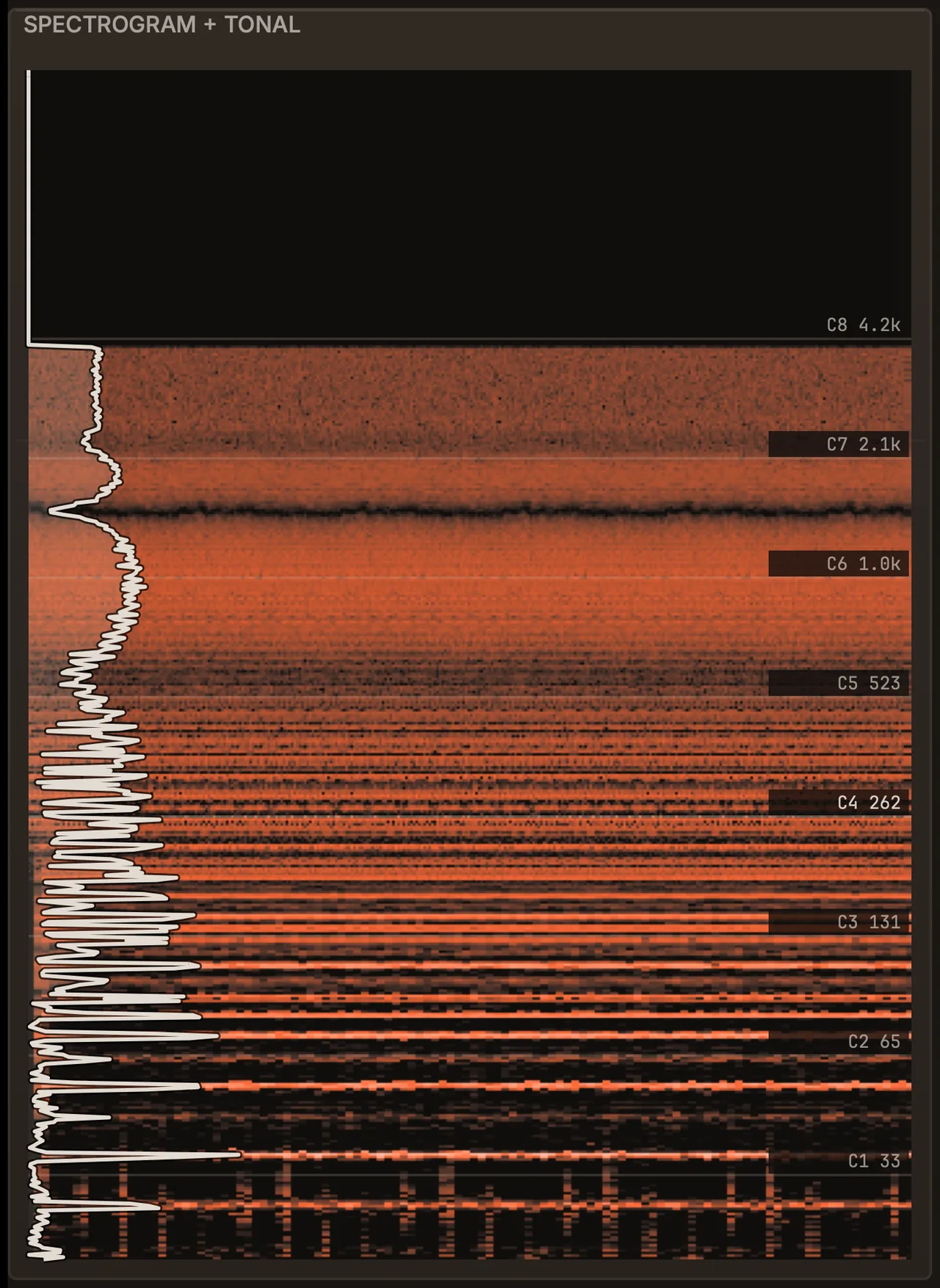
All eight meters on five signals
Pick a signal. Each strip is real audio through the plug-in.
SPECS
Start with a preset. Go as deep as you want.
New to sidechain and modulation? Load one of 2,000+ presets and turn eight macros. Running sessions for a living? Everything below is there when you need it, and out of the way when you don’t.
- Undo that remembers100 steps of undo and redo, and the history is still there after you close and reopen the editor.
- Compare before you commitA/B two versions of a sound, and switch between LIVE and STUDIO without a click in the audio.
- Mix-safe outputA master limiter on the output: zero latency in LIVE; in STUDIO it looks 6 ms ahead and also catches the peaks between samples. Limiter 2 can go in any lane.
- Four lanes, your routingRun lanes in parallel or in series, with sends between them, latency alignment and a feedback guard.
- Macros that reach anythingEight macros can drive any parameter, each with its own curve and smoothing, and named per preset.
- Fits your screen and your way of workingResize the window from 960 to 2560 px and pick from 20+ themes.
Specifications
- Modes
- LIVE: always zero latency. STUDIO: adds the spectral engine, with latency reported to the DAW. Switching is click-free.
- Effects
- 34 effects: 28 run in LIVE (Multiband Duck in both modes), and 6 need STUDIO: five spectral effects and Pitch Track.
- Spectral engine
- Resolution (FFT size) from 32 to 16,384, with a Fast or Fine detail setting; BANDS Auto (default), 256 or 512; DELTA listen and SC LINK stereo detector linking (STUDIO).
- Limiter
- Zero latency in LIVE. In STUDIO it looks 6 ms ahead and works on true peak, catching the peaks between samples.
- Modulation
- 8 modulators: Curve, Perlin, Euclid, Lorenz, Markov, LFO (four LFOs plus a morph), Envelope and MIDI. Cables with their own drawn curves; MOD BY (one modulator sets how strongly another’s cable moves a knob), nested modulation (modulators moving each other’s settings) and a Matrix window that shows every connection. MIDI and MPE.
- Routing
- 4 effect lanes, parallel or serial, with sends, automatic latency alignment and a feedback guard. 8 macros with curves and smoothing.
- Metering
- Spectrogram, waveform, oscilloscope, Lissajous, 4-band M/S vectorscope, LUFS loudness (BS.1770), phase correlation and levels. Forensic mode: freeze, zoom, scrub and snap to events.
- Workflow
- 100-step undo and redo that survives closing the editor; A/B states.
- Interface
- Resizable from 960 to 2560 px. 20+ themes; Studio (dark) by default, or let the theme follow the mode.
- Presets
- 2,000+ factory presets in 19 collections.
- Formats
- AU, VST3 and Standalone.
- System
- macOS 11.0 or later, on Apple Silicon.
- Tested in
- Logic Pro, Ableton Live and REAPER.
PRESETS
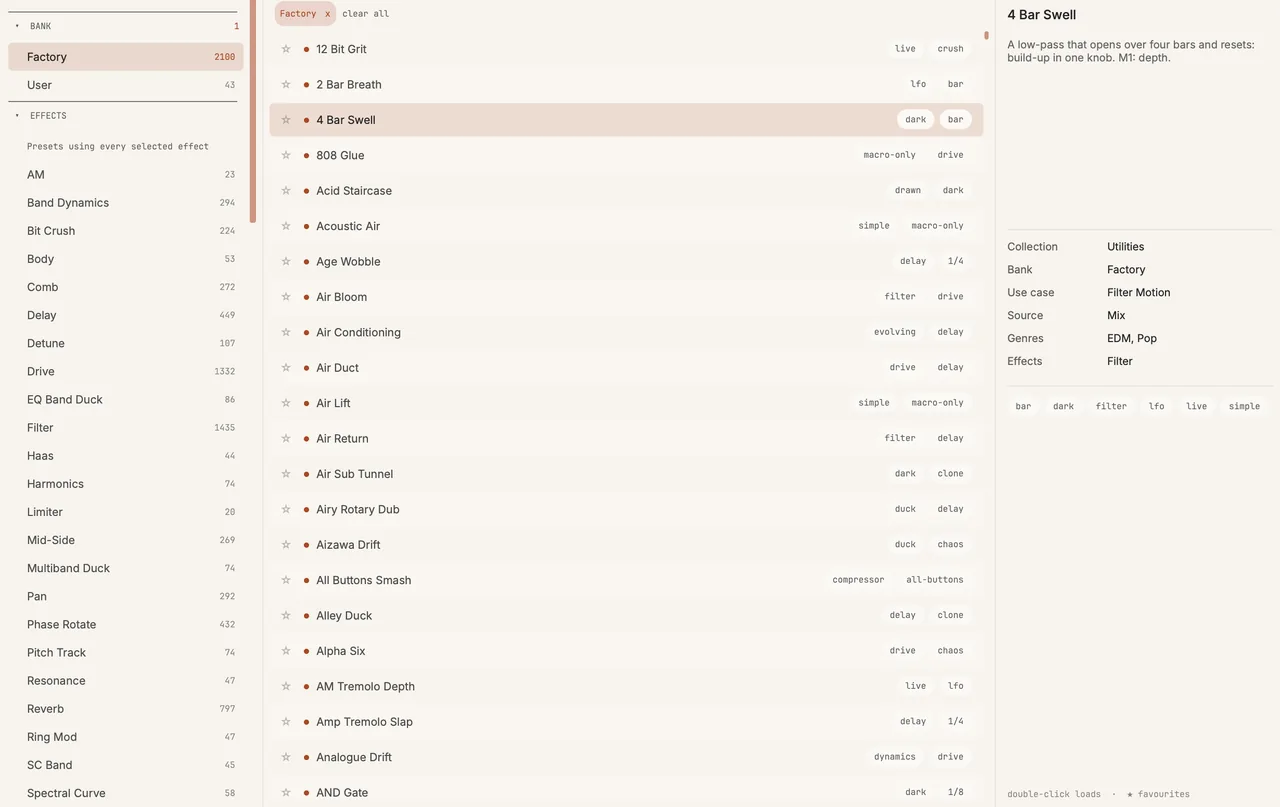
2,000+ presets. A great sound from the first click.
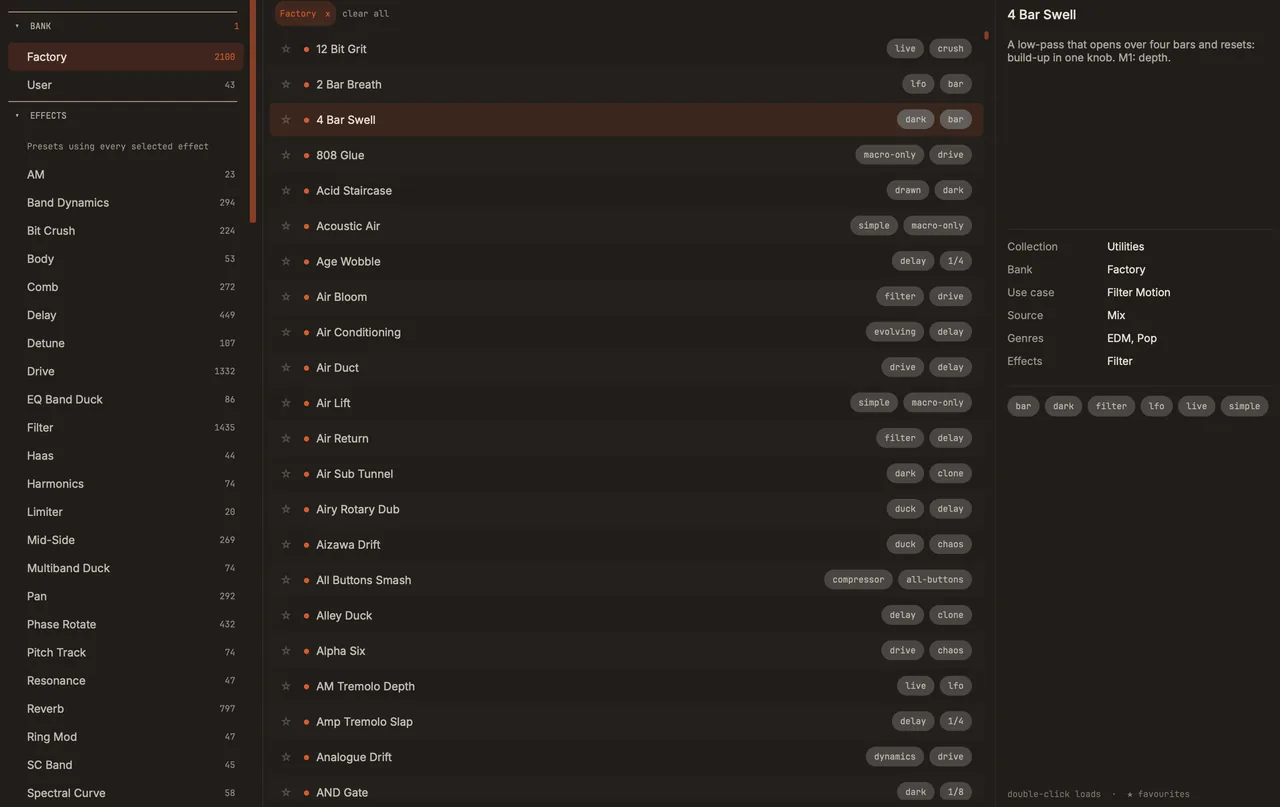
Browse by bank, or filter by the effects a preset uses, and preview before you load. Then make it yours with eight named macros, or build from scratch across four effect lanes with sends and a mixer. The factory library comes in 19 collections.
- 2,000+
- Factory presets
- 8
- Named macros
- 4
- Effect lanes
PRICING
Pay once. Own it for life.
ShadowCast isn’t out yet. When it launches, the first 2–3 weeks are at the launch price below. One payment, no subscription, with a 14-day free trial and a 14-day refund window.
ShadowCast · launch price
A$119US$79
Launch price for the first 2–3 weeks after launch, incl. GST.
Regular A$199 (US$129)Save A$80 (US$50) at launch
Everything included
- Perpetual licence for one user, on up to 3 of your own computers
- Free updates for life, including major versions
- 14-day free trial of the full plug-in at launch, from the first time you open it
- Refunds within 14 days from purchase
- AU, VST3 and Standalone, sharing one activation and working offline once activated
- For macOS 11 or later on Apple Silicon
A free MIDI pack now, then one email at launch with the 14-day free trial.
The details
- Launch price
- A$119 incl. GST (US$79), for 2–3 weeks after launch
- Regular price
- A$199 incl. GST (US$129)
- Tax
- AUD prices include GST. Lemon Squeezy handles tax at checkout
- Licence
- Perpetual licence for one user, on up to 3 of your own computers
- Updates
- Free updates for life
- Operating system
- macOS 11.0 or later, on Apple Silicon
- Formats
- AU, VST3 and Standalone
- Host
- An AU or VST3 host, or run it standalone
- Tested in
- Logic Pro, Ableton Live and REAPER
Questions, answered
Is ShadowCast available yet?
Not yet. Join the launch list for a free MIDI pack straight away, then one email when it’s out, with the launch price and the 14-day free trial.
Do I need to know sound design to use it?
No. Start from one of the 2,000+ presets and shape it with the eight macros. The deeper controls are there when you want them.
What’s the difference between LIVE and STUDIO?
LIVE runs 28 of the 34 effects, Multiband Duck included, and a zero-latency limiter, so you can track and perform through it. STUDIO adds the 6 STUDIO-only effects (five spectral, plus Pitch Track) and a limiter that looks 6 ms ahead and also catches the peaks between samples. The switch is click-free, and the light and dark themes can follow it.
Does it add latency?
Not in LIVE: it’s always zero latency. In STUDIO, the spectral engine and the limiter (which looks 6 ms ahead) add latency, which ShadowCast reports to your DAW so everything stays in time.
What does it cost?
A$119 incl. GST (US$79), for 2–3 weeks after launch. After that, A$199 incl. GST (US$129). One payment, no subscription.
Which plug-in formats and systems are supported?
AU, VST3 and Standalone, on macOS 11.0 or later, on Apple Silicon. Host: An AU or VST3 host, or run it standalone. Tested in Logic Pro, Ableton Live and REAPER. Version 1.0 is built for Apple Silicon Macs; Intel Macs are untested.
How does the licence work?
You buy it once and keep it: a perpetual licence for one user, on up to 3 of your own computers. On each computer, the AU, VST3 and Standalone versions share one activation, and once it’s activated ShadowCast works offline.
Is there a free trial?
Yes: a 14-day free trial of the full plug-in, available from launch. The 14 days start the first time you open a ShadowCast window, not when you install it.
Who handles payment?
Lemon Squeezy, our Merchant of Record, runs the secure checkout and handles tax and invoices. AUD prices include GST.
What if it’s not for me?
You can ask for a refund within 14 days from purchase. Refunds are processed by Lemon Squeezy, our Merchant of Record. Your rights under the Australian Consumer Law are not affected.
How do I get help?
Email hello@waveloom.com or visit the support page. You talk to the person who built it.
Do I pay for updates?
No — every update is free, for life.
Make your next track move.
2,000+ presets, eight modulators and a spectral engine, in one plug-in for macOS.
Follow along